Windows Server 2012 R2 end of life is the last-mile problem for legacy-heavy shops this year. Extended support ended October 10, 2023. Extended Security Updates (ESUs) run through October 13, 2026, and that is the last exit ramp Microsoft is building. After that date, no more patches, no more Azure Arc lifeline, no more paid backstop. If you still have workloads on Windows Server 2012 or 2012 R2, you have roughly one quarter to move them or make peace with running unpatched.
We are writing this in July 2026, so the timelines in this piece are the real ones. If you are reading a “2024 Windows Server 2012 R2 end of life” post, close the tab. The math has changed.
Windows Server 2012 R2 end of life: where things stand in 2026
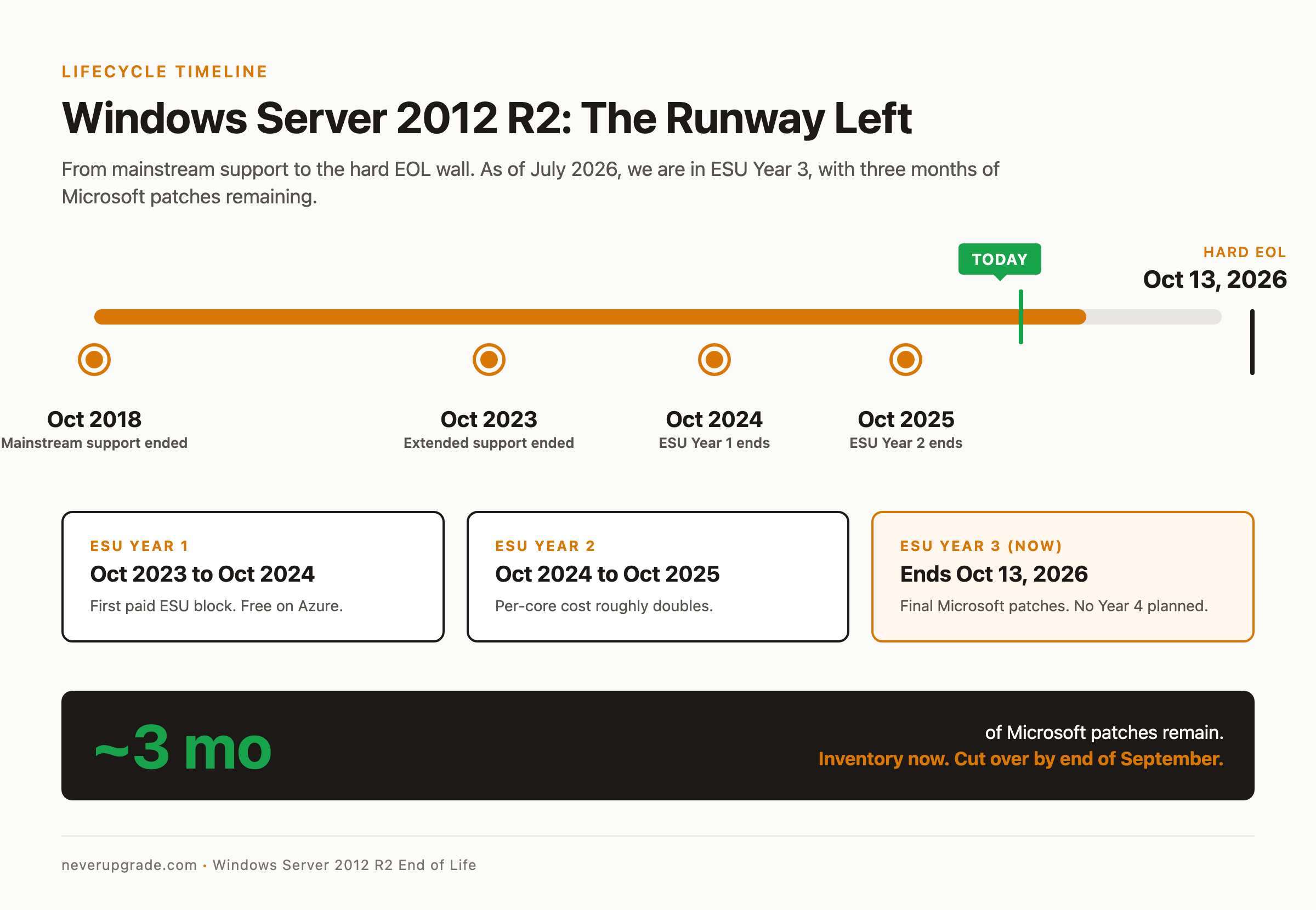
Here is the actual lifecycle, in one paragraph. Mainstream support ended October 9, 2018. Extended support ended October 10, 2023. Microsoft then offered ESUs sold in one-year blocks, renewable up to three times. Year 1 ran through October 2024, Year 2 through October 2025, Year 3 ends October 13, 2026 (Microsoft Learn, Lansweeper). Servers hosted in Azure got ESUs free; on-premises boxes paid per core per year, with prices roughly doubling each renewal.
If you did not enroll in ESU when 2023 hit, you have been running with no security patches for close to three years. If you enrolled and stayed current, you are living on borrowed Microsoft time until October.
There is no Year 4. Microsoft published no plans to extend, and unlike Windows 10 there is no consumer program to hide behind. October 13, 2026 is the wall.
Inventory: what is actually running on 2012 R2
Before you can pick a migration path, you need to know what you are migrating. In our experience, the servers people forget are the ones that eat the schedule at the last minute. That old Hyper-V host in the closet running two VMs nobody has documented. The domain controller that also happens to be running a print spooler for a legacy label printer. The file server the CFO’s Excel macros silently depend on.
Do this today, not next month:
- Pull an OS inventory. Run
Get-ADComputer -Filter {OperatingSystem -like "*2012*"} -Properties OperatingSystem, LastLogonDatein PowerShell against your domain. Anything with a recent LastLogonDate is alive and needs attention. - Map every role and feature. For each 2012 R2 host, run
Get-WindowsFeature | Where-Object {$_.Installed}and save the output. This is your migration checklist. - Find dependencies you did not know about. Check
netstat -anofor who is connecting in, and audit scheduled tasks withschtasks /query /v /fo LIST. That “unused” box is often serving something. - Identify anything that only runs on 2012 R2. Some line-of-business apps were compiled against .NET 4.5 or hard-coded to IIS 8.5. If the vendor is gone or the source is lost, you need a plan that keeps the workload alive without keeping the OS internet-facing.
Save the inventory somewhere durable. You will refer to it during the migration and again when the auditor asks why box FS-OLD-02 is still on the network.
Isolate, harden, monitor: the playbook for hosts you cannot move by October
Sometimes migration by the deadline is not realistic. A vendor-locked ERP module, a physical HSM appliance, a scientific instrument driver that only supports 2012 R2. Fine. You do not get to just leave the box on the flat network and hope.
Before you start: back up. Full system state, off-box, verified restorable. If your isolation work knocks the server offline permanently, you want the option to spin it up somewhere else.
Then, in order:
- Put it on its own VLAN with default-deny east-west. The server talks to the specific hosts and ports its application requires. Nothing else. Not “the LAN.” Not “the office subnet.” Specific IPs, specific ports.
- Get it off the internet. No outbound to the general internet, no inbound from anywhere. If it needs to phone home to a vendor, whitelist the exact endpoints.
- Disable SMBv1 if you have not already.
Set-SmbServerConfiguration -EnableSMB1Protocol $false. Yes, still. We keep finding it enabled on old file servers in 2026. - Turn on Windows Defender or a modern EDR agent that still supports 2012 R2. CrowdStrike, SentinelOne, and Sophos all have working agents at the time of writing. Confirm the agent version matches your OS or the sensor runs blind.
- Log everything to a SIEM. Enable Advanced Audit Policy for logon, process creation (4688), and PowerShell script block logging (event 4104). Ship logs off the host so a compromise cannot erase them.
- Kill the local admin account or rotate its password to a 40-character random value stored in your password manager. Disable RDP. Use jump hosts.
- Read the ESU state carefully. After October 13, 2026, new CVEs will not be patched. Assume every future vulnerability applies to your box, and compensate with network controls.
This is not a permanent home. This is a controlled decompression while you plan the actual move.
Migration paths ranked by pain
Every 2012 R2 workload eventually goes to one of five destinations. Here they are, easiest to hardest.
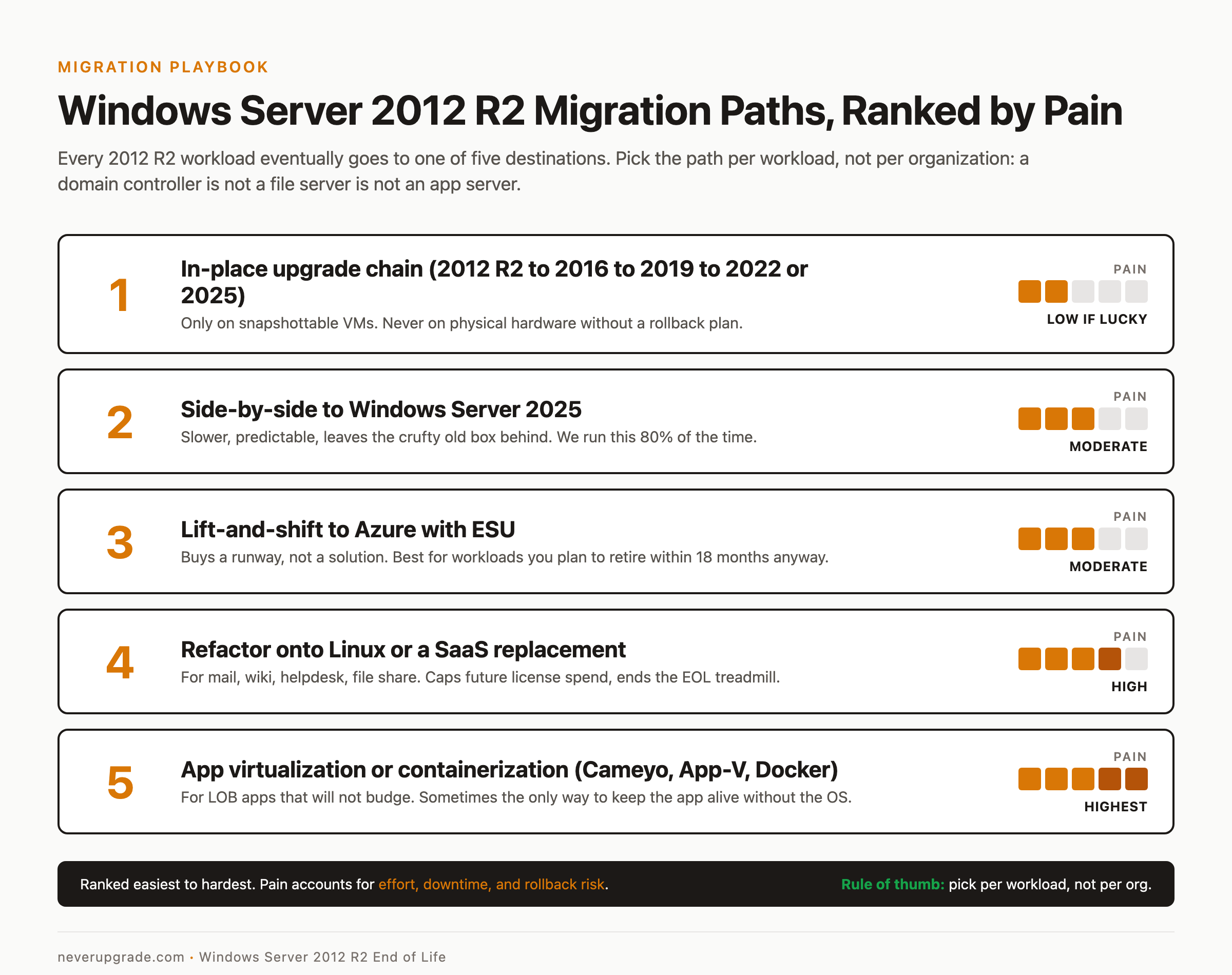
1. In-place upgrade to Windows Server 2022 or 2025. To land on 2022, you have to hop: 2012 R2 to 2016 to 2019 to 2022. To land on 2025, Microsoft supports a direct jump straight from 2012 R2 in one pass instead. Either way, each hop, or the single big jump, is a coin flip on legacy drivers and printer drivers. We only recommend this for VMs where you can snapshot before each step. Never do it on physical hardware without a documented rollback.
2. Side-by-side migration to Windows Server 2025. Stand up a fresh 2025 box, install the roles, migrate the data, cut over DNS or IP. Slower but predictable. This is what we run 80% of the time. Bonus: you get to leave the accumulated cruft of a 10-year-old server behind.
3. Lift-and-shift to Azure with ESUs. Move the VM to Azure and get ESUs free until October 2026. Buys you a runway, not a solution (you still need to modernize eventually), but it beats emergency patching. Useful for workloads you plan to retire within 18 months anyway.
4. Refactor onto Linux or a SaaS replacement. The workload is running a mail server, a wiki, a helpdesk, a file share. There is a modern replacement for every one of those. Migrating off Windows entirely is more work upfront but caps your future license spend and eliminates the next EOL scramble.
5. Application virtualization or containerization. For LOB apps that will not budge, wrap the app with Cameyo, App-V, or a Docker container on a modern host and retire the underlying 2012 R2 OS. High effort, but sometimes the only way to keep a business-critical app alive without keeping the OS alive.
Pick the path per workload, not per organization. A domain controller is not a file server is not an app server. Different constraints, different destinations.
The do-nothing cost calculation
The tempting move is to shrug, skip ESU Year 3, and hope. Let us do the math you owe your finance team before you make that call.
Direct patch gap: From October 13, 2026 forward, every remotely exploitable Windows vulnerability that touches SMB, RDP, IIS, or the kernel applies to your box and never gets a fix. Microsoft’s Patch Tuesday cadence has been delivering dozens of Windows CVEs per month for years, and a meaningful slice of them are rated critical. You will accumulate them.
Compliance exposure: PCI DSS 4.0.1 requires vendor-supported software or documented compensating controls. HIPAA Security Rule 164.308(a)(5) has similar teeth. SOC 2 auditors will flag unsupported OS in a heartbeat. “We meant to upgrade” is not a compensating control.
Cyber insurance: Most 2026 policies now explicitly exclude losses tied to end-of-life operating systems, or hike the deductible tenfold. Read your renewal carefully. Ask your broker in writing whether a 2012 R2 breach is covered.
Breach math: IBM’s 2024 Cost of a Data Breach Report pegged the average U.S. breach at $9.36M. You do not need to hit the average to make ESU look cheap. One ransomware event on an unpatched DC exceeds a decade of migration budget.
The honest answer we give clients: if you truly cannot migrate a workload by October, buy Year 3 ESU (if you can still get in), isolate hard, and put the migration on the top of the next FY plan. Do not just let it ride.
Related reading
If ESU as a concept is new to you, the mechanics are similar to (though not the same as) the Windows 10 consumer program. Our plain-English 2026 ESU guide covers the client-side version. Server ESU is the same idea, sold differently.
Frequently asked questions
Can Windows Server 2012 R2 be upgraded directly to 2022?
Not directly to 2022, no. Microsoft’s supported in-place upgrade path to 2022 steps through 2016 and 2019 first. A direct jump to 2025 is different: Windows Server 2025 allows upgrading up to four versions at once, so 2012 R2 can go straight to 2025 in a single in-place upgrade. For most shops, a side-by-side migration to a fresh 2025 install is still faster and safer than trusting an in-place upgrade that old.
Are Extended Security Updates for Windows Server 2012 R2 still available in 2026?
Year 3 ESUs are available through October 13, 2026, sold per physical core with a minimum core count. Servers running in Azure, Azure Stack HCI, or Azure VMware Solution get ESUs free through the same date. After October 13, 2026, no further ESUs are planned.
What happens if I keep running Windows Server 2012 R2 after October 2026?
The OS keeps running. What stops is patching. New Windows CVEs will not be fixed on 2012 R2, and Microsoft support cannot open a case for you. The technical risk is unpatched remote code execution and privilege escalation flaws. The business risks are compliance findings, insurance exclusions, and audit failures. Isolation and monitoring can compensate for a short window, but not forever.
Bottom line
You have about three months before the last patch drops. Inventory your 2012 R2 hosts this week, decide the destination for each workload by end of August, and cut over by end of September so October is for cleanup, not fire drills.