If your Synology or QNAP NAS is running a DSM or QTS version that has hit end of life, it will not get another security patch, ever, and it is probably still sitting on your network with a port forwarded to the internet. That combination, old firmware plus internet exposure, is exactly what ransomware crews scan for. You do not have to throw the box out, but you do have to change how you run it.
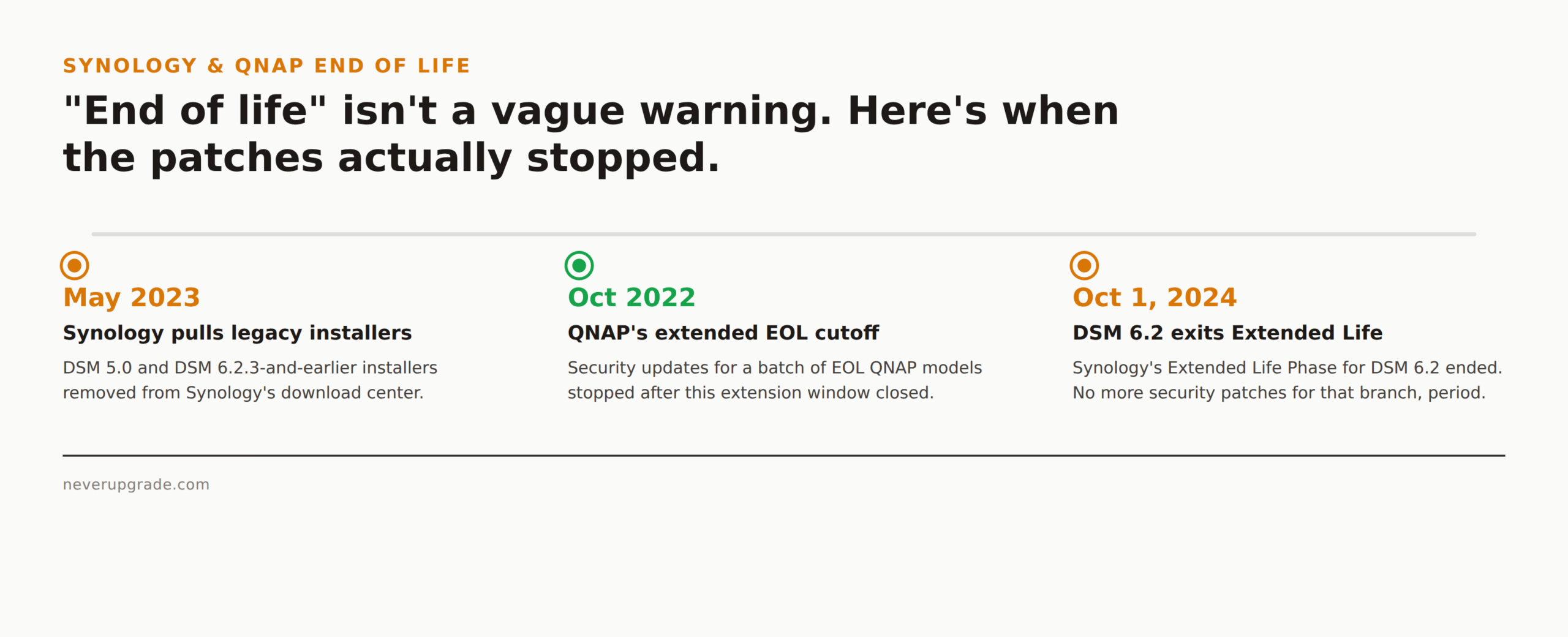
This is not a hypothetical. Synology DSM 6.2 left its Extended Life Phase on October 1, 2024. Before that, Synology pulled DSM 5.0 and DSM 6.2.3-and-earlier installers from its download center entirely, back in May 2023. QNAP has run the same playbook: it extended security updates for a batch of end-of-life models only through October 2022, then stopped.
How to tell your NAS has actually reached end of life
“End of life” gets used loosely, so check the vendor’s own status page before you assume anything.
- Synology: look up your model at synology.com’s Product Support Status page. Synology runs two clocks per DSM major version: an “Extended Life Phase” where security patches keep coming, and a hard end-of-life date after that where they stop. DSM 6.2, for example, had its Extended Life Phase run out on October 1, 2024. Anything still on 6.2 after that date gets no more fixes, full stop.
- QNAP: check qnap.com’s product status page for your model. QNAP’s EOL means no more firmware or security updates, and (per QNAP’s own guidance) newly discovered vulnerabilities in EOL firmware “may not be patched.” QNAP has occasionally extended updates for specific EOL models during active exploitation waves, but that is the exception, not something to plan around.
- Both vendors: if the app store, mobile app, or admin login screen keeps nagging you that a newer DSM/QTS version exists and your model can’t take it, that is your real signal. The hardware, not just the software, has aged out.
Write the exact firmware version and your model number down before you do anything else. You will need both for the rest of this.
The real risk: internet-facing storage with no patches
Here is the actual threat model, stated plainly: an EOL NAS is a file server with known, unpatched vulnerabilities that is frequently reachable from the open internet, because someone forwarded a port for remote access years ago and forgot about it.
QNAP devices exposed this way have been hit repeatedly by mass ransomware campaigns (DeadBolt and its variants being the most notorious), specifically targeting internet-facing boxes running old firmware. Synology has issued its own warnings about credential-stuffing and brute-force waves against exposed DSM logins. Neither vendor is exaggerating the danger to sell you a new box. Once a NAS is compromised, everything in every shared folder, photos, invoices, QuickBooks backups, whatever you put there, is either encrypted for ransom or just gone.
The fix is not “buy new hardware tomorrow.” The fix is: stop being reachable from the internet, and assume the firmware itself will never be patched again.
Lock it down: disable remote access, segment, kill risky services
Before you touch any settings, back up your data to a separate device or cloud target. You are about to change network exposure on a box you already know is unpatched; if something goes sideways mid-change, you want a copy that isn’t sitting on the same NAS.
- Turn off internet-facing remote access entirely. Disable QuickConnect (Synology) or myQNAPcloud (QNAP), and remove any port forwards on your router that point at the NAS’s admin panel, File Station, or any app port. This is the single highest-impact step, both vendors say so directly in their own EOL guidance.
- If you genuinely need remote access, put it behind a VPN, not a forwarded port. Route through your router’s VPN server or a WireGuard/Tailscale box, and let the NAS itself stay unreachable from the open internet.
- Segment it onto its own VLAN or subnet if your router supports it, isolated from any device that isn’t allowed to touch it. A compromised laptop shouldn’t have a straight path to your file server.
- Disable services you don’t use. SSH, Telnet, FTP, UPnP, and any bundled app (Surveillance Station, Photo Station, whatever came preinstalled) that isn’t actively doing something for you. Every open service is one more thing that can’t be patched if it turns out to be vulnerable.
- Change default ports and enforce strong, unique credentials with 2FA if the DSM/QTS version still supports it. This won’t stop a targeted attacker, but it filters out the automated scanners that make up most of the traffic hitting exposed NAS boxes.
- Keep local snapshots and an offsite backup, and make at least one backup immutable or air-gapped (an external drive you physically disconnect counts). If ransomware does land, this is what turns a disaster into an afternoon of restoring files.
None of this requires new hardware. It requires about an hour and a willingness to stop treating “it still works” as the only question that matters.
Squeezing more life out of the hardware with alternative firmware
If the box is locked down and isolated, you can often keep using it for years past its official EOL date, especially for something low-stakes like local media storage or a secondary backup target.
- TrueNAS Core/Scale and OpenMediaVault both run on generic x86 hardware and will happily take over an old Synology or QNAP chassis if you’re willing to reflash it, giving you an actively maintained OS instead of abandoned vendor firmware.
- XPEnology lets you run current-ish DSM builds on non-Synology hardware, which is the inverse move: useful if you’re consolidating old drives onto new hardware, not for keeping an old Synology box current, since Synology explicitly does not support this and you’re on your own for security updates either way.
- For QNAP boxes with ARM chips, your alternative-OS options are thinner; check whether your specific SoC has community firmware support before assuming you have a path here.
The honest tradeoff: alternative firmware trades “vendor abandoned this, but at least it was polished” for “community-maintained, but you’re now your own IT department.” That’s a fair trade if you already run the show for your own network. It’s a worse trade if this NAS holds a client’s data or anything you can’t afford to rebuild from scratch, in which case, keep reading.
When the data is worth new hardware
Here’s the one place I’ll tell you to actually spend money: if the NAS holds anything you cannot afford to lose or leak, financial records, client files, anything with a compliance obligation attached, and it cannot be fully isolated from the internet for operational reasons (you need real remote access, multiple people connecting from outside), replace it.
A new NAS with active vendor support costs a few hundred dollars. A ransomware incident involving client financial data costs a lot more than that, in both direct cost and the conversation you have to have afterward. The lockdown steps above buy you real protection for a home lab or a low-stakes file share. They buy you much less peace of mind for a small business that depends on this box being both available and confidential.
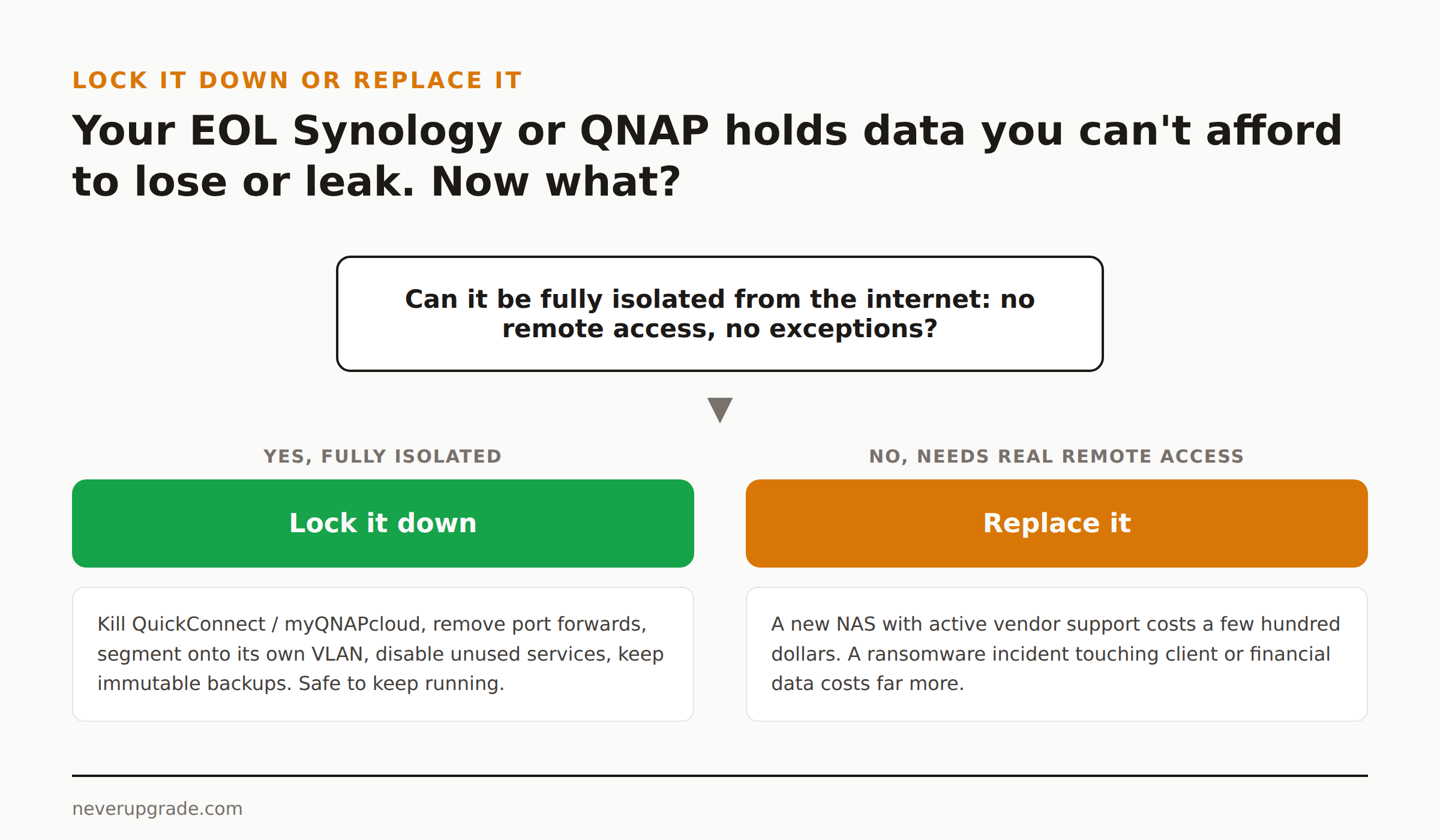
If you’re on the fence: migrate the data to new hardware, then repurpose the old unit (fully isolated, no exceptions) for something that doesn’t matter if it goes down. You get the security posture you need without throwing away hardware that still spins.
FAQ
Is it safe to keep using a Synology NAS after DSM end of life?
Yes, with conditions. It’s safe if the device is not reachable from the internet, unused services are disabled, and you have working backups. It’s not safe left exposed with default remote-access settings, which is how most EOL NAS compromises happen.
Will Synology or QNAP force an update on an end-of-life device?
No. Once a device is past end of life, the vendor stops shipping updates for it entirely, forced or otherwise. You can keep running the last available firmware indefinitely; you just won’t get new features or security patches for it.
Can I install a newer DSM or QTS version on old hardware after EOL?
Usually not through official channels. Once a model is EOL, the vendor typically stops releasing new DSM/QTS builds for its specific CPU and hardware, so you’re capped at the last supported version unless you move to alternative firmware.
If you’re weighing whether to lock down an aging NAS or replace it outright, the math above (isolate low-stakes storage, replace anything holding data you can’t afford to lose) is the same call to make with any other end-of-life box on your network.