SQL Server 2017 reaches end of extended support on October 13, 2027. That is the date Microsoft stops shipping security patches, GDRs, and technical support for it, full stop. If you are still running it in production, you have a little over a year to build a real plan, not the “we’ll deal with it later” plan that every unsupported database eventually runs on.
The SQL Server 2017 End of Life Date Is October 13, 2027, and “Later” Is Not a Plan
Here are the dates as Microsoft’s own lifecycle page lists them, in Pacific time:
- Release date: September 29, 2017
- Mainstream support ended: October 11, 2022 (no more feature updates, design changes, or free warranty claims)
- Extended support ends: October 13, 2027 (no more security patches, period)
Notice that mainstream support already ended four years ago. If you have been running SQL Server 2017 since 2022 without new features or free non-security fixes and nothing bad happened, it is tempting to assume October 2027 is the same kind of non-event. It is not. Extended support is the part that actually keeps ransomware crews out of your database engine. When it ends, so does the patching.
October 2027 sounds far off from where we sit in September 2026. It is thirteen months. Enterprise database migrations, the kind that involve testing every stored procedure, linked server, and SSRS report your finance team depends on, routinely take six to twelve months once you actually start. “Far off” and “plenty of time” are not the same thing if you have not started.
What Actually Changes on October 13, 2027
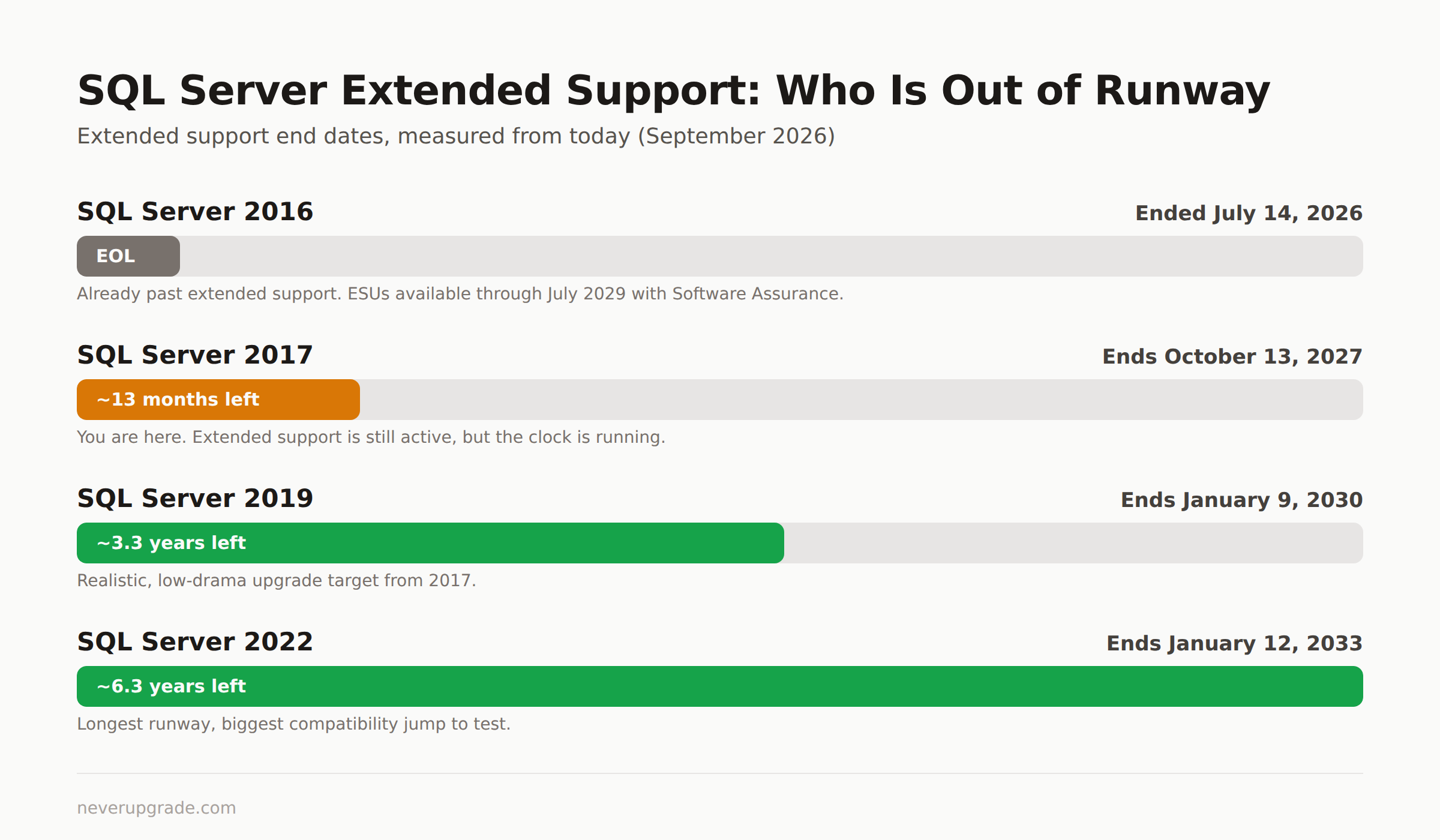
We do not have to guess what “end of support” feels like in practice. SQL Server 2016 hit the same wall on July 14, 2026, two months ago as of this writing, and the pattern was identical to every prior SQL Server sunset:
- No new security updates. Microsoft stops issuing GDRs (general distribution releases) even for critical vulnerabilities discovered after the cutoff.
- No technical support tickets. If your unsupported instance breaks, Microsoft support will tell you to upgrade before they will look at it, even if you are paying for Premier or Unified support on everything else.
- Compliance and audit exposure. PCI DSS, HIPAA, SOC 2, and cyber insurance renewals increasingly ask, directly, whether you run any end-of-life database software. “Yes, and we have no patch path” is a bad answer in an audit and a worse one to a cyber insurer deciding your premium.
- The engine keeps running. Nothing shuts off. That is exactly the problem: an unpatched SQL Server instance with no functional change is easy to forget about until something exploits it.
None of this is fearmongering. It is the same three bullet points that happened in October 2022 when mainstream ended, and the same three that happened to SQL Server 2016 this July. The only variable is whether you are ready when your version’s turn comes.
ESU Pricing and Eligibility for SQL Server 2017
Here is the honest answer, not the confident-sounding one you will find on some vendor blogs: as of September 2026, Microsoft’s official Extended Security Updates FAQ for SQL Server still only lists SQL Server 2014 and SQL Server 2016 by name. SQL Server 2017 is not on that page yet, because its extended support has not ended. Anyone quoting you exact SQL Server 2017 ESU pricing today is extrapolating, not reading an official price sheet.
That said, the pattern is consistent across three prior versions, so you can plan around it with reasonable confidence:
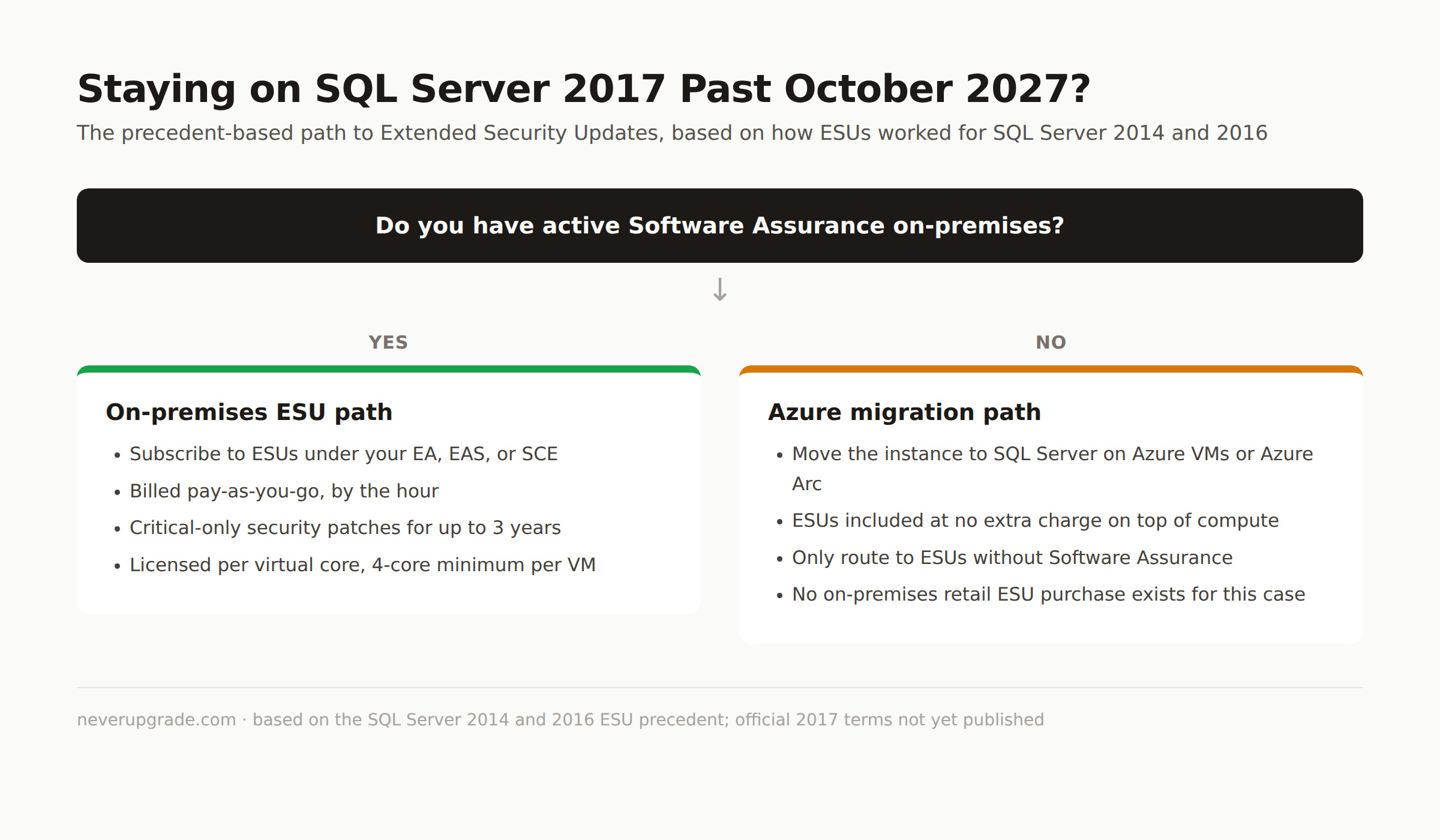
- ESUs are pay-as-you-go, billed by the hour, for up to three years past end of support.
- They cover Critical-rated security updates only, as judged by the Microsoft Security Response Center, not general bug fixes.
- Eligibility requires active Software Assurance on-premises under an Enterprise Agreement or equivalent, or you migrate the instance to Azure (SQL Server on Azure VMs or Azure Arc), where ESUs come at no extra charge on top of the compute you are already paying for.
- Licensing is per virtual core with a 4-core minimum per VM, or per physical core if you are running unlimited virtualization on a host.
- Without Software Assurance, Azure migration is your only path to ESUs at all. There is no retail ESU purchase for on-premises boxes that skipped Software Assurance.
Practical takeaway: if you are going to stay on SQL Server 2017 past October 2027 on-premises, confirm your Software Assurance status now, not in September 2027. If you do not have it, start pricing an Azure migration instead, because that becomes your only legal patching route.
Upgrade Targets: SQL Server 2019, 2022, or Azure SQL Managed Instance
If you are moving off 2017 rather than paying for extra years on it, here is how the realistic targets compare on runway alone:
| Version | Extended support ends | Runway from today |
|---|---|---|
| SQL Server 2017 | October 13, 2027 | ~13 months |
| SQL Server 2019 | January 9, 2030 | ~3.3 years |
| SQL Server 2022 | January 12, 2033 | ~6.3 years |
| Azure SQL Managed Instance | N/A, version-less service | patched by Microsoft continuously |
SQL Server 2019 is the safe, boring choice. Compatibility level changes from 2017 are modest, most T-SQL and CLR code moves over with light testing, and you buy over three years before you have this conversation again.
SQL Server 2022 buys more runway and adds real features (Azure Synapse Link, ledger tables, better query intelligence) but the jump in compatibility level is bigger, and if your app was written against SQL Server 2017 quirks you should budget more regression testing.
Azure SQL Managed Instance removes the “which version” question permanently, since Microsoft patches it for you and there is no future end-of-life date to track. The tradeoff is real: near-100% compatibility is not 100%, some legacy features (certain SQL Agent jobs, cross-database queries, specific CLR scenarios) need rework, and you are trading a capital licensing cost for an ongoing operating one. If your team already fights Windows Server end-of-life dates on the OS underneath SQL Server, moving the database itself off that treadmill is worth serious consideration.
Running SQL Server 2016 and 2017 Side by Side: Sequencing the Two Clocks
A lot of shops we talk to are running both a 2016 instance and a 2017 instance, often because they migrated one application and not the other. That puts you on two different clocks:
- SQL Server 2016: extended support already ended July 14, 2026. ESUs are available through July 17, 2029, if you have Software Assurance or move it to Azure.
- SQL Server 2017: extended support ends October 13, 2027. You are still inside the free-patch window, for now.
The mistake we see most often: teams let the more urgent 2016 migration eat the entire year’s budget and calendar, then look up in mid-2027 with no runway left for 2017. Sequence it deliberately instead:
- Get the 2016 instance onto ESUs or migrated first, since its patch clock already ran out.
- Start 2017 discovery and testing in parallel, even if the actual cutover happens later. Inventory every linked server, SSIS package, and application connection string now, while you are not under deadline pressure.
- Pick one destination version for both, where practical. Standing up SQL Server 2019 twice, once for the 2016 workload and once for 2017, is more testing than migrating both to the same target in one pass.
If you back yourself into doing both migrations in the same six-month window in 2027, you will do them worse, faster, and with more weekend work than if you started the 2017 side now while the pressure is still theoretical.
FAQ
Is SQL Server 2017 still supported in 2026?
Yes. As of September 2026, SQL Server 2017 is inside its extended support period, which runs until October 13, 2027. You are still receiving free security updates. Mainstream support (feature updates and free non-security support) ended back in October 2022, but extended support, the part that matters for patching, is still active.
Can I buy Extended Security Updates for SQL Server 2017 right now?
No, not yet, because extended support has not ended. ESU subscriptions only become available once a version reaches its end-of-support date. Microsoft’s current ESU documentation covers SQL Server 2014 and 2016 because those are the versions currently past their cutoffs. Expect SQL Server 2017 ESU terms to be published as October 2027 approaches, likely following the same Software-Assurance-or-Azure pattern as the prior two versions.
What is the real difference between mainstream and extended support ending?
Mainstream support ending (October 2022 for SQL Server 2017) means no more free feature updates, design changes, or complimentary non-security support requests. Extended support ending (October 2027) means no more security patches at all, plus no technical support tickets without an ESU subscription. Mainstream ending is an inconvenience. Extended support ending is the date that actually creates security and compliance exposure.
If you are further back in the version chain, the same clock already ran out for SQL Server 2014 and SQL Server 2016; see our breakdowns of SQL Server 2016 end of life and where that leaves you on ESU options today.