Yes, Windows XP still boots, still runs, and still shows up on real hardware in 2026, more than a decade after Microsoft cut it loose. The honest answer to “should you” is: only offline, only for a specific job that nothing else will do, and only if you have already accepted the machine can never touch a network again.
Why Windows XP Machines Are Still Out There in 2026
Nobody is running XP as a daily driver by choice. They’re running it because something bolted to it never got rebuilt.
The pattern repeats everywhere: a CNC controller card whose driver was compiled once in 2006 and never again, a payment kiosk in a laundromat that a vendor stopped supporting before the owner bought the building, an accounting box in the back office that talks to a printer and a tape drive and nothing else. Industrial and embedded control systems make up the bulk of surviving XP installs, because replacing the OS means replacing the machine it runs, and that machine costs more than the software ever did.
Statcounter puts XP’s share of Windows desktops at roughly 0.42% as of this year. Small, but not zero, and not shrinking to zero either. That 0.42% is disproportionately industrial, embedded, and “if it ain’t broke.”
The Honest Risk Profile: Twelve Years Unpatched
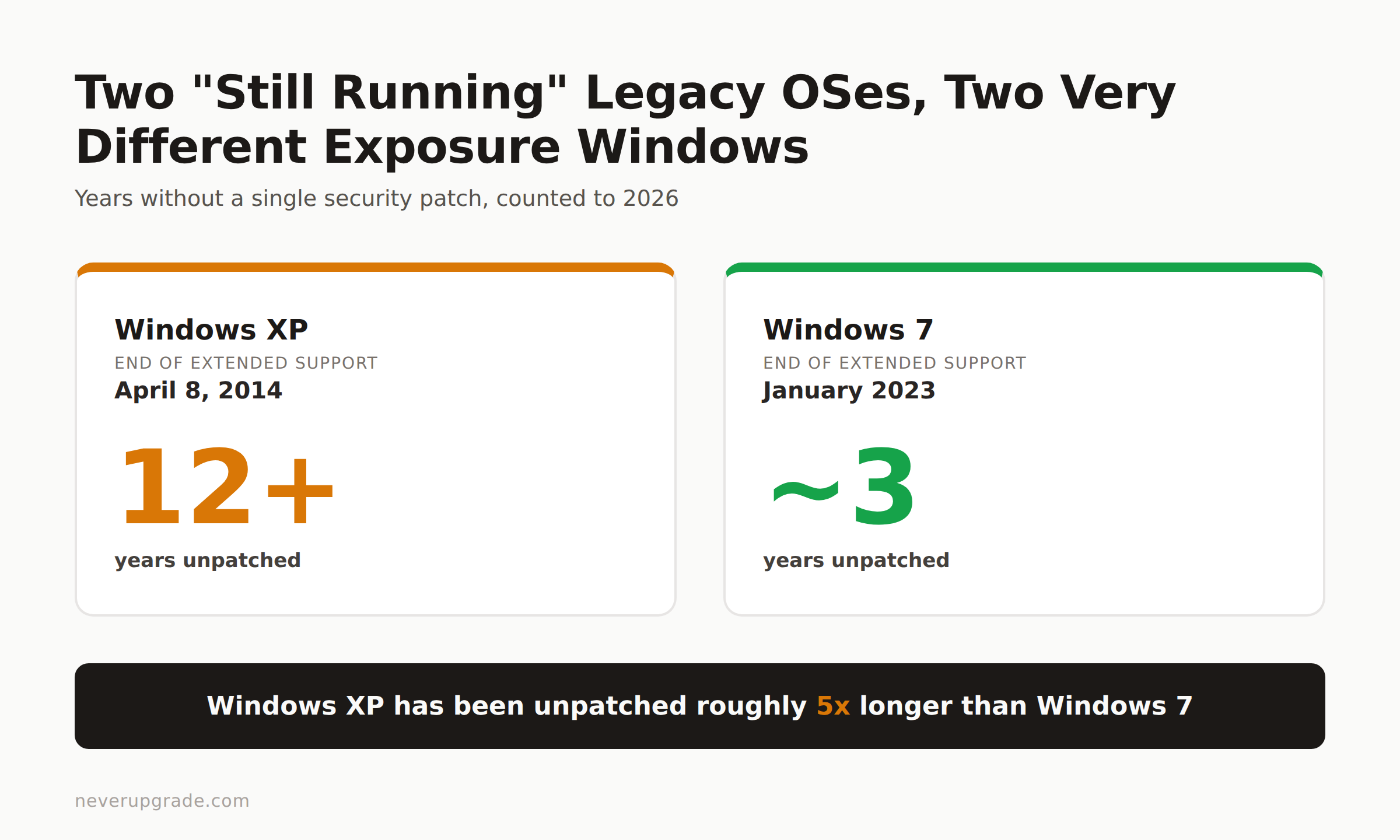
Microsoft ended extended support for Windows XP on April 8, 2014. That’s not a typo and not a rounding error: it has been over twelve years since the last security patch shipped for this OS. Every vulnerability discovered since then, and there have been hundreds, sits open on any XP machine that’s still exposed.
Compare that to Windows 7, which lost support in January 2023. XP has been sitting unpatched for roughly five times as long. If you’ve read our piece on running Windows 7 safely in 2026, triple the paranoia and you’re in the right neighborhood for XP.
The browser situation makes the exposure concrete. Chrome dropped XP support at version 49 in early 2016; anything past that version simply will not install. Firefox held on longer but eventually did the same. That means the browser on a stock XP box is missing a decade of patches to the sandbox, the JavaScript engine, and the rendering pipeline, the exact components that hostile web pages target first. A specialty browser like Supermium (an open-source, Chromium-based build that specifically targets abandoned Windows versions) can restore basic access to modern sites, but it does not restore the operating system underneath it. You’re still running a kernel and network stack that stopped getting fixed in 2014.
None of this means an XP box will get owned the second you plug in a network cable. It means the odds are stacked against you in a way they simply aren’t on a supported OS, and the failure mode (ransomware, a worm that pivots to the rest of your network, a crypto-miner quietly burning CPU) tends to show up when you least expect it.
Activation and Driver Realities If You’re Standing One Up Today
If you’re building a new XP install in 2026 rather than inheriting one, expect friction at every step.
Microsoft no longer distributes official XP installation media. There’s no download page, no recovery tool, nothing from the source. You’re sourcing an ISO from wherever you can find one, which means you’re trusting an unverified binary before you’ve even installed the OS, a genuinely bad way to start. If you go this route, checksum the ISO against known-good hashes before you touch it, and do the whole install air-gapped from anything you care about.
Activation is its own maze. Retail keys from old boxed copies work if they haven’t been used elsewhere; OEM keys tied to a specific motherboard generally don’t transfer to different hardware, and Microsoft’s activation servers for XP have had spotty uptime for years, so don’t count on phone activation working on the first call.
Drivers are the bigger wall. XP predates USB 3.0, NVMe storage, and most Wi-Fi chipsets made in the last decade. If you’re installing on anything newer than roughly a 2010-era machine, you will spend more time hunting drivers than installing the OS. This is the practical reason most surviving XP runs on original period hardware or inside a virtual machine rather than on anything new.
Isolation Rules: No Network, No Browser, No Email, Ever
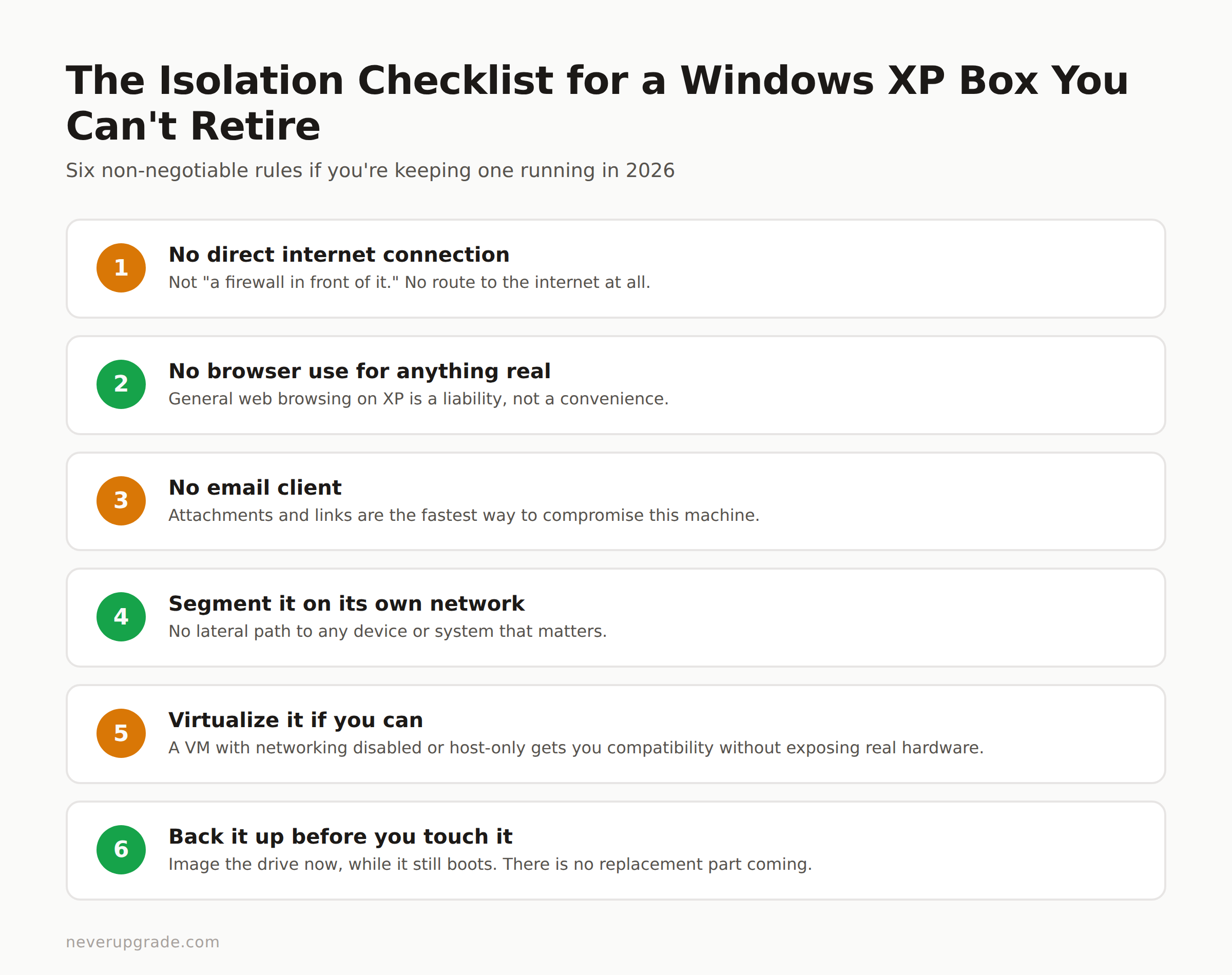
If you’ve decided you need to keep an XP box running, the rules aren’t complicated, they’re just non-negotiable:
- No direct internet connection. Not “a firewall in front of it.” No route to the internet at all.
- No browser use for anything real. If Supermium or a similar tool gets you to a specific internal tool over a local network, fine. General web browsing on XP is a liability, not a convenience.
- No email client. Attachments and links are the fastest way to compromise this machine, and there is no patch coming to help you.
- Segment it on its own VLAN or physical network, isolated from every other device, with no lateral path to anything that matters.
- Virtualize it if you can. Running XP as a VM under VirtualBox or VMware, with networking disabled or restricted to a host-only adapter, gets you the compatibility without exposing real hardware or a real network interface.
- Back it up before you touch it. Image the drive now, while it still boots, before you do anything else on this list. Old hardware fails without warning, and there is no replacement part coming.
Follow these and an XP box can sit in a corner doing one job for years without incident. Skip any one of them and you’re just waiting.
The One Case Where You Should Stop Reading and Replace It Now
If the XP machine touches a network you can’t fully isolate, processes customer payment data, or has any path (even an indirect one, through a shared drive or a USB stick that also touches other machines) to systems that matter, stop. Isolation on paper isn’t isolation in practice, and “we’ll firewall it” is the sentence every post-incident report quotes back to the person who said it.
The same goes for anything handling money or personal data under any kind of compliance obligation. PCI, HIPAA, and most cyber-insurance policies simply do not accept “isolated legacy OS” as a control once you look closely at how isolated it actually is. In those cases, the cost of migrating off XP is real, but it’s smaller than the cost of the incident, the breach notification, and the insurance claim denial that follows.
Everywhere else, an air-gapped XP box running a CNC controller or a standalone kiosk is a defensible choice. That’s the actual bar: not “is it old,” but “can it hurt me if it’s compromised.”
FAQ
Is Windows XP still safe to use in 2026?
Only if it’s fully isolated from any network and never used for browsing, email, or file transfer. On its own, without patches since 2014, it is not safe to expose to the internet under any circumstances.
Can you still activate Windows XP in 2026?
Sometimes. Retail keys not previously activated elsewhere generally still work; Microsoft’s activation servers have inconsistent uptime, and OEM keys tied to specific hardware usually won’t transfer to a new machine.
What is the newest browser that runs on Windows XP?
Chrome stopped supporting XP after version 49 in 2016, and mainline Firefox followed a similar timeline. Specialty builds like Supermium can extend modern web access on XP, but they don’t patch the underlying OS.
This is the same math we ran for Windows Vista after its own end of support: the OS keeps working right up until the day it’s the reason something else stops.