Yes, you can still run Windows 7 in 2026. It boots, it activates, and most of your old software still opens. What you do not get is a single security update, and you have not gotten one since January 2023. So the real question is not whether Windows 7 runs. It is whether you can wall it off well enough that running it does not cost you your data. That is doable, and this guide walks the exact steps. It also tells you the one case where you should stop reading and just move on.
We keep unsupported systems alive for a living, so we will not pretend Windows 7 is fine. It is not fine. It is manageable, which is a different thing.
What Still Works on Windows 7 in 2026 (and What Does Not)
Windows 7 itself is a finished, stable operating system. Nothing about it rots on a schedule. The rot comes from everything that talks to it.
Still working in 2026:
- The OS boots, activates, and runs local applications the same as it did in 2015.
- Older desktop software with no online component (accounting on a LAN, CAD, machine controllers, POS terminals) keeps running indefinitely.
- Most USB and older PCI hardware, because the drivers were written years ago and do not update.
- Local file sharing between Windows 7 boxes on the same network.
Already broken or breaking:
- Microsoft 365 apps dropped Windows 7 support in January 2020. Modern Office installs will not run.
- New hardware drivers. If a device shipped after roughly 2020, odds are there is no Windows 7 driver at all.
- Anything that checks for a current TLS stack or a supported browser engine, which now includes a growing share of banking and government sites.
The pattern is simple. Offline and local: fine. Anything reaching the internet: on borrowed time.
The Security Reality: No Updates Since January 2023
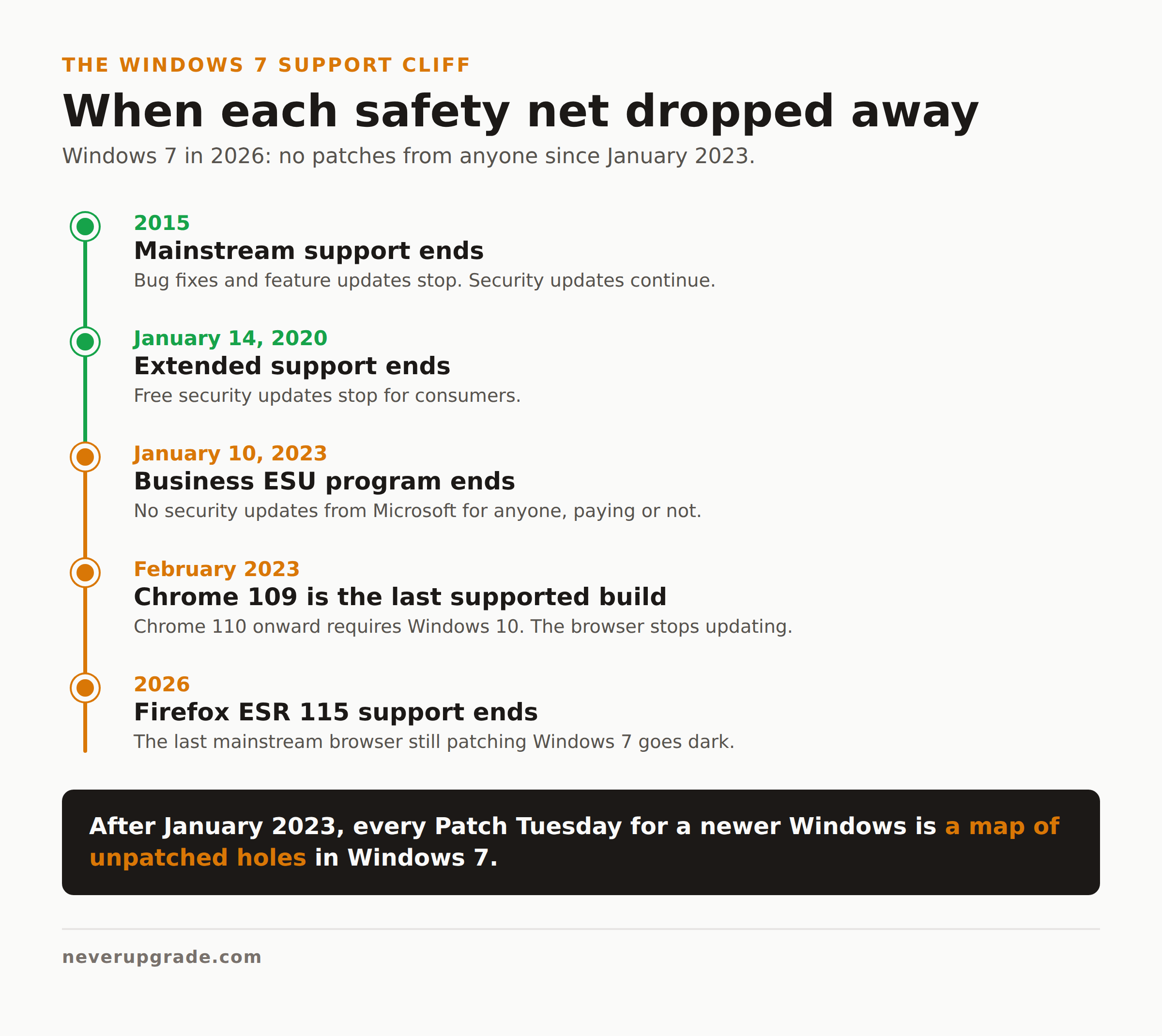
Here is the part the nostalgia videos skip. The Windows 7 end of life timeline is short and worth memorizing. The OS reached end of extended support on January 14, 2020. Businesses could buy Extended Security Updates for three more years, and that program ended on January 10, 2023. Since then, nobody, paying or not, receives patches from Microsoft.
That matters because Windows 7 shares a lot of code lineage with Windows 8.1 and even Windows 10. When a vulnerability gets patched in the newer systems, the patch notes effectively become a map. Attackers read what was fixed in Windows 10, then check whether the same flaw exists, unpatched, in Windows 7. Frequently it does. Every Patch Tuesday for a supported OS is, indirectly, a fresh list of ways into an unpatched one.
So is Windows 7 safe to use in 2026? On a network, connected to the open internet, running a browser and opening email: no. Genuinely not. Isolated and hardened, doing one job: acceptable risk, if you go in with eyes open.
Browser and Software Support Has Already Dropped Off
Your browser is the single biggest hole in a Windows 7 machine, and the browser makers left years ago.
Google Chrome cut Windows 7 loose at version 109. Chrome 109 was the last release to support Windows 7 and 8.1, and from Chrome 110 in February 2023 onward you need Windows 10 or newer. Any Chrome you install on Windows 7 today is stuck on a 2023 build with three years of unpatched holes. Every Chromium browser that followed Chrome’s engine, including old Edge and Brave builds, hit the same wall.
Firefox held out longer. Mozilla kept the Firefox ESR 115 branch shipping security updates to Windows 7, 8, and 8.1, extending the deadline more than once, most recently into 2026. As of this writing it is the last mainstream browser still patching Windows 7 at all. When that ends, and it will, there is no supported browser left on the platform. Full stop.
Practical takeaway: if you must browse on a Windows 7 box, Firefox ESR 115 is the only defensible choice, and only until Mozilla pulls the plug. Treat any Chromium browser on Windows 7 as read-only-trusted-sites only.
How to Lock Down a Windows 7 Box You Refuse to Retire
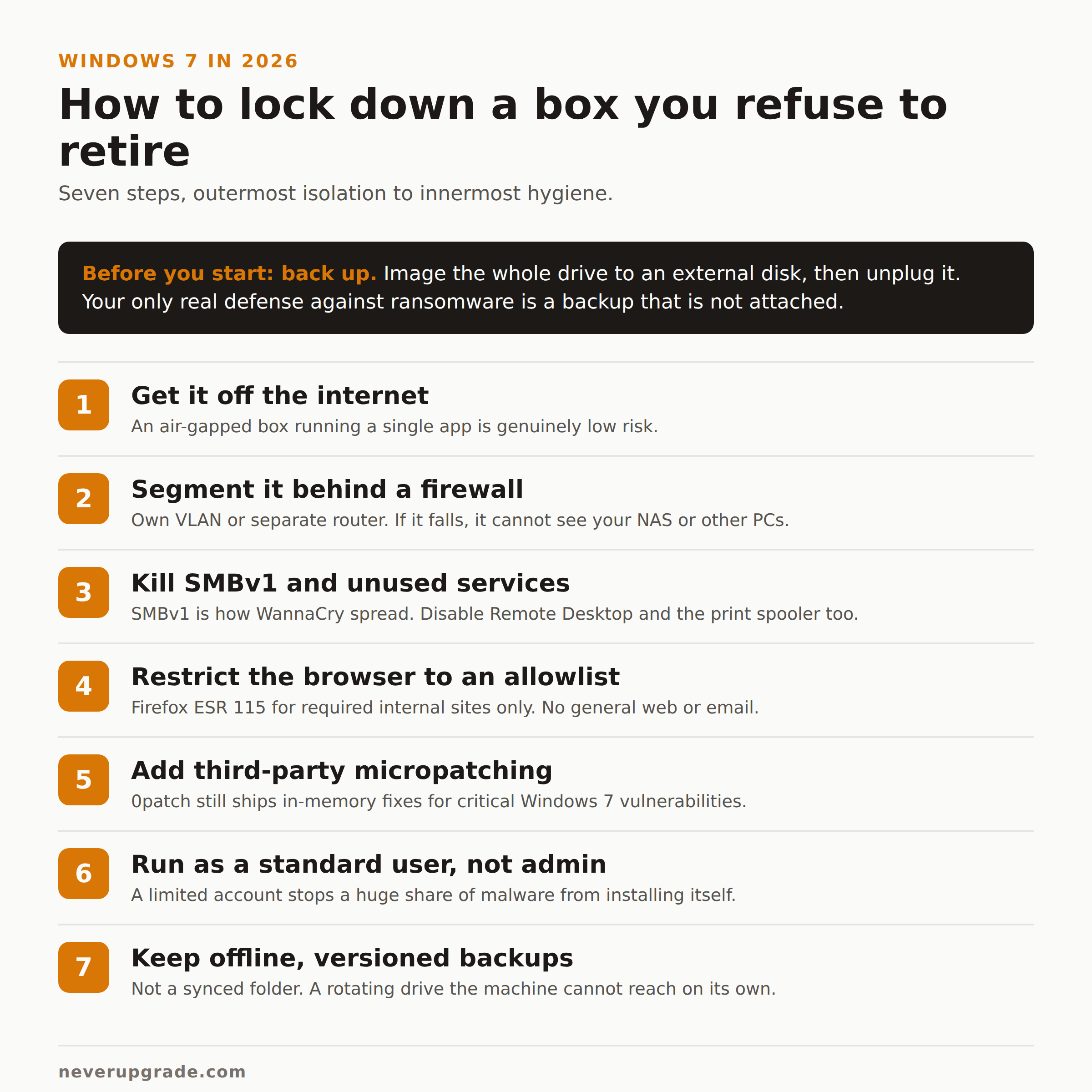
If the machine earns its keep, here is how to keep it without leaving the door open. This is the difference between “running Windows 7 in 2026” and “getting owned in 2026.”
Before you start: back up. Image the whole drive to an external disk before you change a thing, and unplug that disk when the backup finishes. A locked-down machine is still one bad click from ransomware, and your only real defense is a backup that is not attached when it hits.
- Get it off the internet if you possibly can. An air-gapped Windows 7 box running a single application is a genuinely low-risk setup. Most of what follows is about mitigating the fact that you did not do this.
- Put it behind a real firewall and segment it. Drop the machine on its own VLAN or a separate router with no access to the rest of your network. If it is compromised, it should not be able to see your NAS, your accounting server, or your other PCs.
- Kill SMBv1 and unused services. Turn off SMBv1 (this is how WannaCry spread), Remote Desktop if you do not use it, and the print spooler if the box does not print. Every service you disable is one less thing to exploit.
- Run a browser only for a short allowlist, or not at all. Use Firefox ESR 115 for the handful of internal sites the job requires. Do not read general email or browse the open web on this machine.
- Add third-party micropatching. Microsoft stopped patching, but 0patch still ships tiny in-memory fixes for critical Windows 7 vulnerabilities. It is the closest thing to real ongoing patches this platform has. We broke down how it works in our 0patch review, and Windows 7 is squarely in what it covers.
- Use a standard user account, not an administrator. Day-to-day work under a limited account stops a huge fraction of malware from installing itself. This one setting costs nothing.
- Keep offline, versioned backups. Not a synced folder, which ransomware will happily encrypt along with everything else. A rotating external drive or a backup target the machine cannot reach on its own.
Do the first three and you have removed most of the real-world risk. Do all seven and a Windows 7 machine can quietly run a task for years.
Avoid the “Windows 7 2026 Edition” ISOs Making the Rounds
Search “windows 7 in 2026” and half the results are breathless videos about a “Windows 7 2026 Edition” or “Remastered” build that supposedly runs modern apps, brings back Aero, and comes with every update slipstreamed in. Skip them.
These are unofficial, repackaged ISOs assembled by strangers. Even Google’s own AI summary on this search flags that fan-made “2026 Edition” images frequently carry hidden spyware or keyloggers. You are downloading a full operating system, with a built-in administrator, from someone with no accountability and every incentive to bundle something nasty. There is no version of that which is safe on a machine you care about.
If you want Windows 7, install it from genuine Microsoft media you already own, then harden it yourself using the steps above. The boring path is the safe one. That is true of almost everything on this site.
The Honest Case for Finally Moving
We run a whole site about not upgrading, so believe us when we say: sometimes you should. Windows 7 crosses that line when the machine needs to be online, handle real data, and touch email or the open web. No amount of hardening makes an unpatched, unsupported, browser-facing OS a good idea for daily work.
You do not have to jump to Windows 11 and new hardware to fix this. Windows 10, itself now past its own deadline, is still a far safer base than Windows 7 and runs on the same class of machine. We laid out that tradeoff in our honest risk assessment of using Windows 10 in 2026. Even Windows 10 with paid or third-party updates beats Windows 7 with none.
Keep the Windows 7 box for the one offline job it does well. Move everything that lives on the internet somewhere that still gets patched. That is not surrender. That is knowing which battles are worth fighting.
FAQ
Is Windows 7 safe to use in 2026?
Not on the open internet. Windows 7 has received no security updates since January 2023, so any online, browser-facing use is genuinely risky. Isolated from the network and running a single task, a hardened Windows 7 machine is an acceptable, manageable risk.
Can I keep Windows 7 forever?
You can keep it running indefinitely for offline or tightly segmented work, and plenty of machine controllers and POS terminals will run Windows 7 for a decade more. What you cannot do is keep it safely online forever, because the browsers and the OS itself no longer get patched.
What is the last browser that supports Windows 7?
Firefox ESR 115 is the last mainstream browser still shipping security updates to Windows 7, and even that support ends in 2026. Google Chrome stopped at version 109 back in early 2023. Once Firefox ESR 115 is retired, no supported browser will remain on the platform.