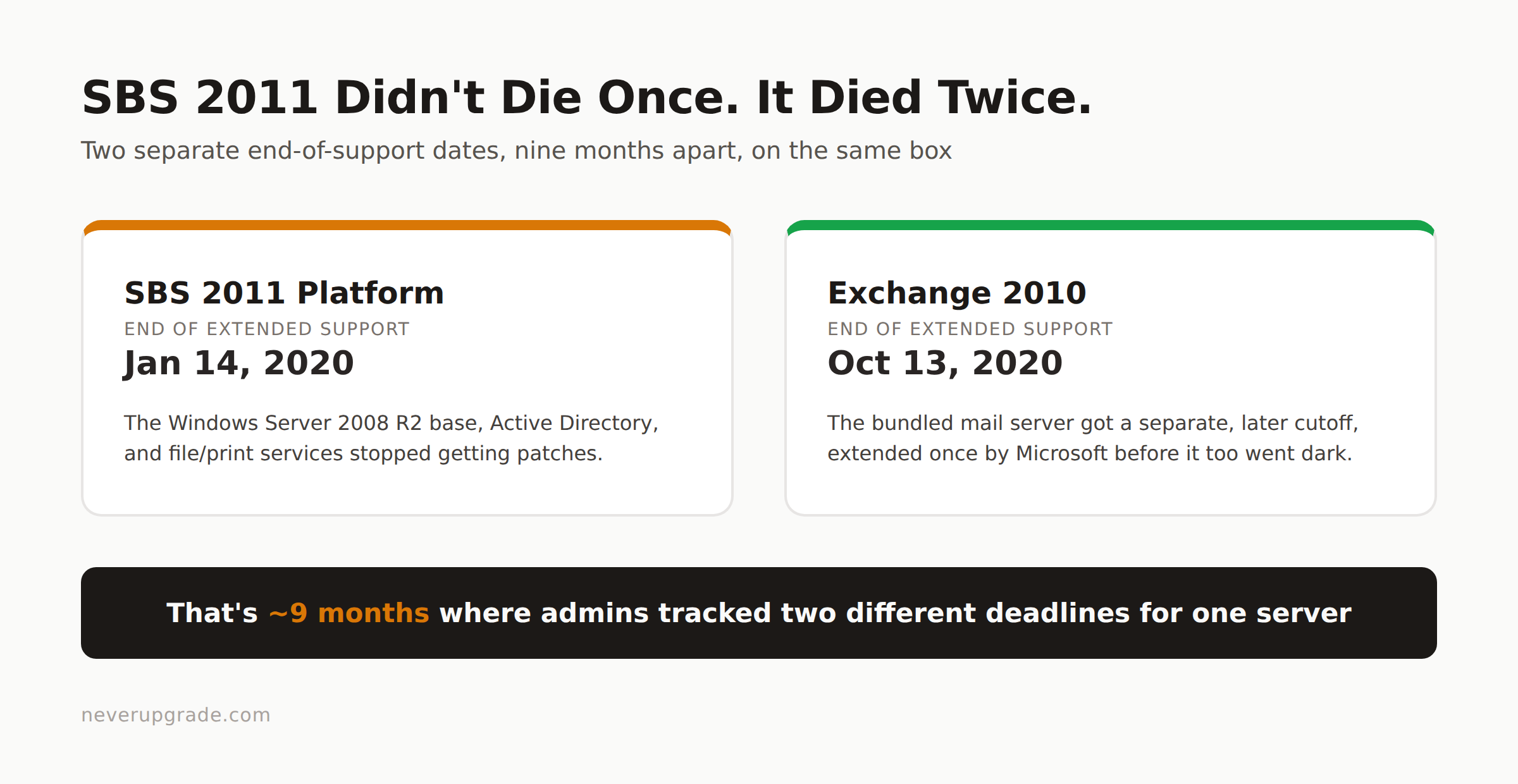
Windows Small Business Server 2011 reached the end of extended support on January 14, 2020, and its bundled Exchange 2010 followed on October 13, 2020. If you are still running it, you are not patching a server anymore. You are keeping a domain controller, a mail server, and often a file server all running on one unsupported box, with no vendor fixing anything that breaks.
That single-box design is exactly why SBS holdouts have had a harder time moving on than shops running a plain Windows Server. There is no “just retire it” button when the same machine issues your Kerberos tickets and hosts everyone’s inbox.
Why SBS 2011 is a harder deadline than a standalone server
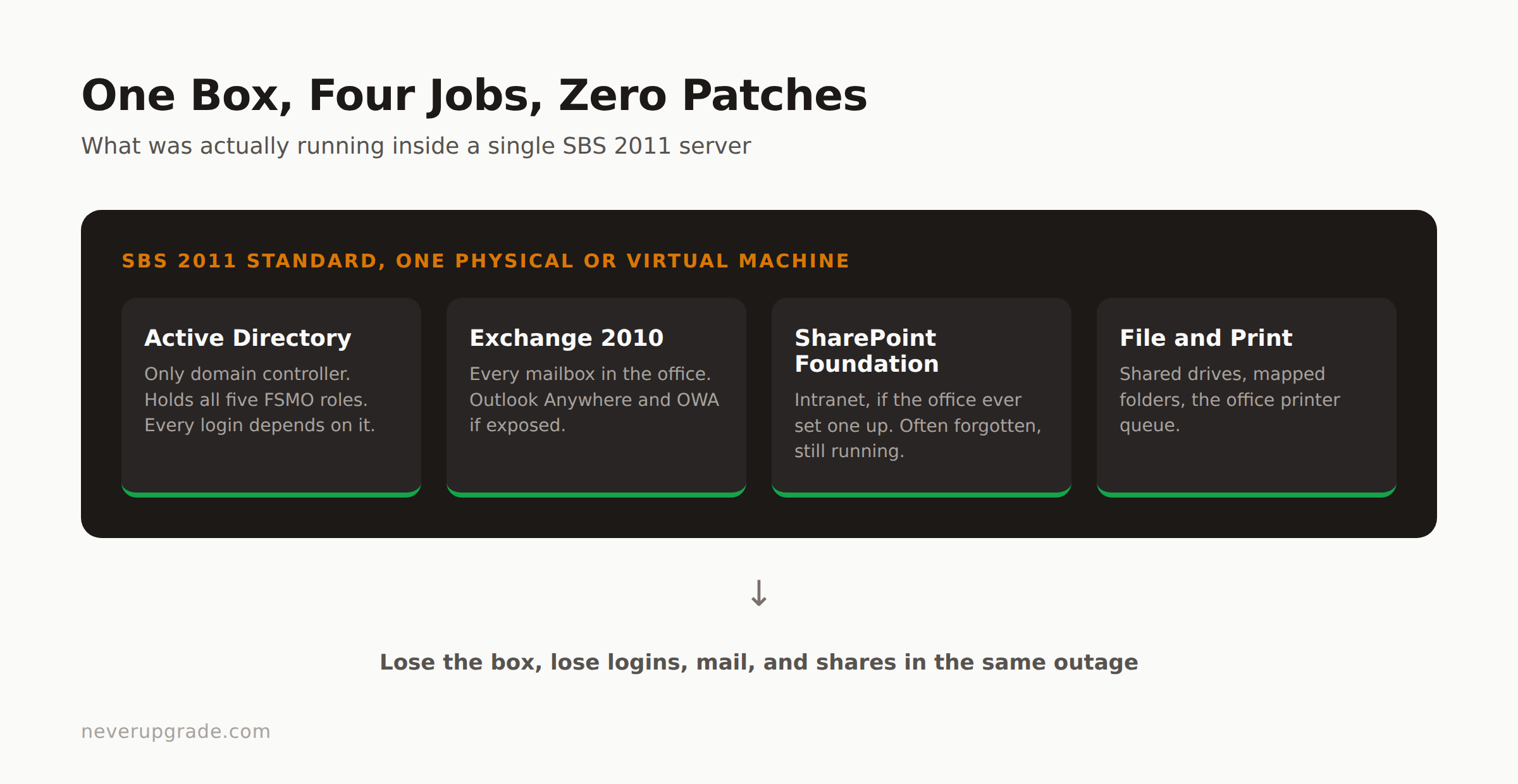
A regular file or app server going end of life is a contained problem: replace the box, move the shares, done. SBS 2011 rolled several jobs into one Windows Server 2008 R2 install:
- Active Directory domain controller, usually the only one, holding all five FSMO roles
- Exchange Server 2010 for mail
- Sometimes SharePoint Foundation for an intranet
- File and print services for the office
When support ends, every one of those roles is exposed at once. And because it’s a single domain controller, you cannot simply unplug it. Every login, every group policy, every mailbox lookup depends on that machine being up.
Why some shops never migrated off it
The honest answer is usually cost and inertia, not ignorance. SBS was priced and licensed as an all-in-one product for businesses that could not afford a dedicated IT department. Migrating off it means untangling AD, Exchange, and file shares into separate, modern systems, which is a real project with a real invoice attached. For a 12-person office where the server “just works,” that invoice kept losing to more urgent spending, year after year, until here we are.
What you are actually exposed to right now
Running SBS 2011 today means:
- No security patches for the OS, for Active Directory, or for Exchange 2010 since October 2020. Every publicly disclosed vulnerability since then is fair game.
- Exchange 2010 exposed to the internet (even just for Outlook Anywhere or OWA) is a known target. Attackers scan for old Exchange builds specifically because they’re unpatched.
- If that box goes down hard, and it will eventually, you lose your only domain controller and your mail server in the same event. There’s no fallback DC to promote.
- Cyber insurance renewals increasingly ask about patch status and unsupported software by name. An honest answer here can get a policy declined or a claim denied.
None of that means panic. It means the risk is specific and the fix is knowable.
Migration paths, ranked by how much pain they save you
1. Split the roles onto Server 2022 plus Microsoft 365 (the recommended path)
This is the closest thing to “doing it right.” You stand up a new Windows Server 2022 box as your domain controller and file server, and you move mail to Exchange Online (Microsoft 365) instead of running Exchange yourself ever again.
The catch: Microsoft’s own prerequisites for Entra Connect (formerly Azure AD Connect) explicitly exclude SBS as a supported host, which rules out the “express” and “hybrid” migration paths that would otherwise sync your existing AD accounts automatically. In practice this means either standing up the new Server 2022 DC first and running Entra Connect from there, or doing a cutover migration: export mailboxes, recreate accounts in Microsoft 365, import via PST, and cut DNS over on a scheduled weekend.
For a small office, cutover migration is usually the pragmatic choice. It’s more manual, but it doesn’t require you to keep the dying SBS box limping along during a hybrid transition window.
2. Straight Azure AD / Entra ID cutover, no on-prem DC at all
If your office is small enough that you don’t need Group Policy for anything complicated, and you’re comfortable managing devices with Intune instead of AD, you can skip building a new domain controller entirely. Join workstations directly to Entra ID, move mail to Microsoft 365, and retire the domain concept altogether.
This is the least “IT department” version of the migration, and it’s the right call for offices under maybe 15-20 seats with simple file-sharing needs (SharePoint or OneDrive covers most of what the SBS file share was doing). It’s the wrong call if you have line-of-business software that hard-requires domain authentication, which older QuickBooks Desktop setups and some accounting or POS software still do.
3. Azure VM lift-and-shift, as a bridge, not a destination
You can P2V the SBS box into an Azure VM to buy time, but this only relocates the unsupported software instead of fixing the unsupported software problem. Use this if you need six more months to plan properly, not as an actual endpoint. Azure won’t patch Exchange 2010 for you either.
A stopgap isolation plan if migration isn’t happening this quarter
If the budget or the calendar genuinely doesn’t allow a real migration right now, do this instead of nothing:
- Pull it off the public internet. Disable any port forwarding to OWA, Outlook Anywhere, or RDP on that box. If remote mail access is needed, put a modern reverse proxy or VPN in front of it, never expose SBS directly.
- Segment it on its own VLAN, isolated from workstations that browse the open internet or run email clients that click links.
- Turn off any SBS services you don’t actually use. If SharePoint Foundation is dead weight, stop the service. Fewer running components is a smaller attack surface.
- Back up the AD database and mailbox data off-box, on a schedule you’d trust to actually restore from. If this server dies mid-quarter, the backup is the only thing standing between you and rebuilding a domain from scratch.
- Set a hard date. Isolation is not a strategy, it’s a delay. Put the migration project on next quarter’s calendar now, while you still have the leverage of choosing the timing yourself instead of having a hardware failure choose it for you.
FAQ
When did support for Windows Small Business Server 2011 actually end?
Extended support for the SBS 2011 platform ended January 14, 2020. Exchange Server 2010, which ships as part of SBS 2011 Standard, had its own support extended separately to October 13, 2020.
Can I still buy Microsoft 365 licenses and connect them to SBS 2011?
Yes, but you cannot use the automated Entra Connect sync tools directly on the SBS box, since Microsoft’s prerequisites exclude it as a supported Entra Connect host. Most shops either run Entra Connect from a new Server 2022 machine or do a manual cutover migration instead.
Do I need to replace SBS 2011 with another all-in-one server product?
No, and you probably shouldn’t. Microsoft discontinued the SBS product line after this generation. The modern equivalent is a plain Windows Server (for AD and file shares, if you still need them) paired with Microsoft 365 for mail, rather than one box doing everything.
If you’re planning the Server 2022 side of this move, see our ranked breakdown of Windows Server 2012 migration paths, most of the tradeoffs (cutover versus hybrid, what breaks with old line-of-business software) apply the same way here. And if Exchange itself is the piece you’re stuck on, our Exchange Server end of life guide covers the mail-specific migration options in more depth.