Windows Server 2016 reaches end of support on January 12, 2027. After that date, extended security updates for Windows Server 2016 are the only sanctioned way to keep receiving critical patches without moving to a new OS, and Microsoft sells them one year at a time for up to three years, with the price climbing every year. Run the same workload inside Azure and the ESU coverage is free. Everywhere else, you pay per core, and the meter starts the day support ends.
We keep unsupported systems running for a living, so we will say the quiet part out loud: ESU is a bridge, not a home. It buys you time to plan a migration you should have started already. But if you have a genuinely stuck workload, it is a legitimate, supported way to stay patched. Here is how the numbers and the deadlines actually shake out.
The January 12, 2027 deadline nobody is budgeting for
Windows Server 2016 shipped in October 2016. Mainstream support ended January 11, 2022. Extended support, the phase that still delivers monthly security patches, ends January 12, 2027. That is the cliff.
The problem is not the date. The problem is that most shops we talk to have Server 2016 filed under “still works, ignore it.” It runs a line-of-business app, a file share, maybe a SQL box, and nobody has looked at it in three years. On January 13, 2027, every unpatched vulnerability on that machine becomes permanent unless you have done something about it. Ransomware crews watch these dates more closely than IT departments do.
You have roughly six months from now. That is not plenty, once you account for change windows, app compatibility testing, and the vendor who takes six weeks to answer whether their software runs on Server 2025.
What extended security updates for Windows Server 2016 actually cover, and what they don’t
ESU is narrow on purpose. You get:
- Critical and Important security updates, as rated by Microsoft’s Security Response Center. That is it.
You do not get:
- New features, non-security bug fixes, or performance improvements.
- General technical support unless you already hold a separate support contract.
- Any fix for aging hardware, technical debt, or an app that was already creaking.
Read that list twice before you convince yourself ESU solves your problem. It patches known-critical holes. It does nothing about the fact that your 2016 box is nine years old and still the single point of failure for payroll.
ESU pricing and eligibility for Server 2016
Three things drive the cost.
It is annual and it escalates. You buy Year 1, then optionally Year 2, then Year 3. Each year costs more than the last, and historically Windows Server ESU has been priced as a percentage of the full license, per core, with the rate rising sharply in later years. On a box with a lot of cores, this adds up fast, which is the entire point: Microsoft wants the third year to hurt enough that you migrate.
It is per core, not per server. Physical or virtual, you license the cores underneath the OS, subject to a minimum. A dual-socket host with high core counts is where the sticker shock lands. Get an actual quote from a Cloud Solution Provider before you assume ESU is the cheap option, because on a big host it often isn’t.
Eligibility has strings. You need proper licensing alignment underneath the ESU entitlement, and you may have to change how the machine activates. KMS-activated servers frequently need to move to a different activation method before ESU keys apply. Do not discover this on January 12.
Two ways to skip most of the pain:
- Move the workload to Azure. Azure VMs, Azure Stack, and Azure Dedicated Host get ESU at no extra charge. If a lift-and-shift is on the table anyway, this is the cleanest exit.
- Deliver on-prem ESU through Azure Arc. For servers that stay in your rack, Arc is now the standard delivery and management path for ESU, billed as a subscription. You can also still buy through a CSP or Volume Licensing.
We are not going to quote you a per-core dollar figure, because it moves and because the number that matters is your core count times the rate times three years. Model your specific box. The Windows 10 ESU prices floating around search results are a different program; do not plan a server budget off them.
Lessons from the Windows Server 2012 R2 wave
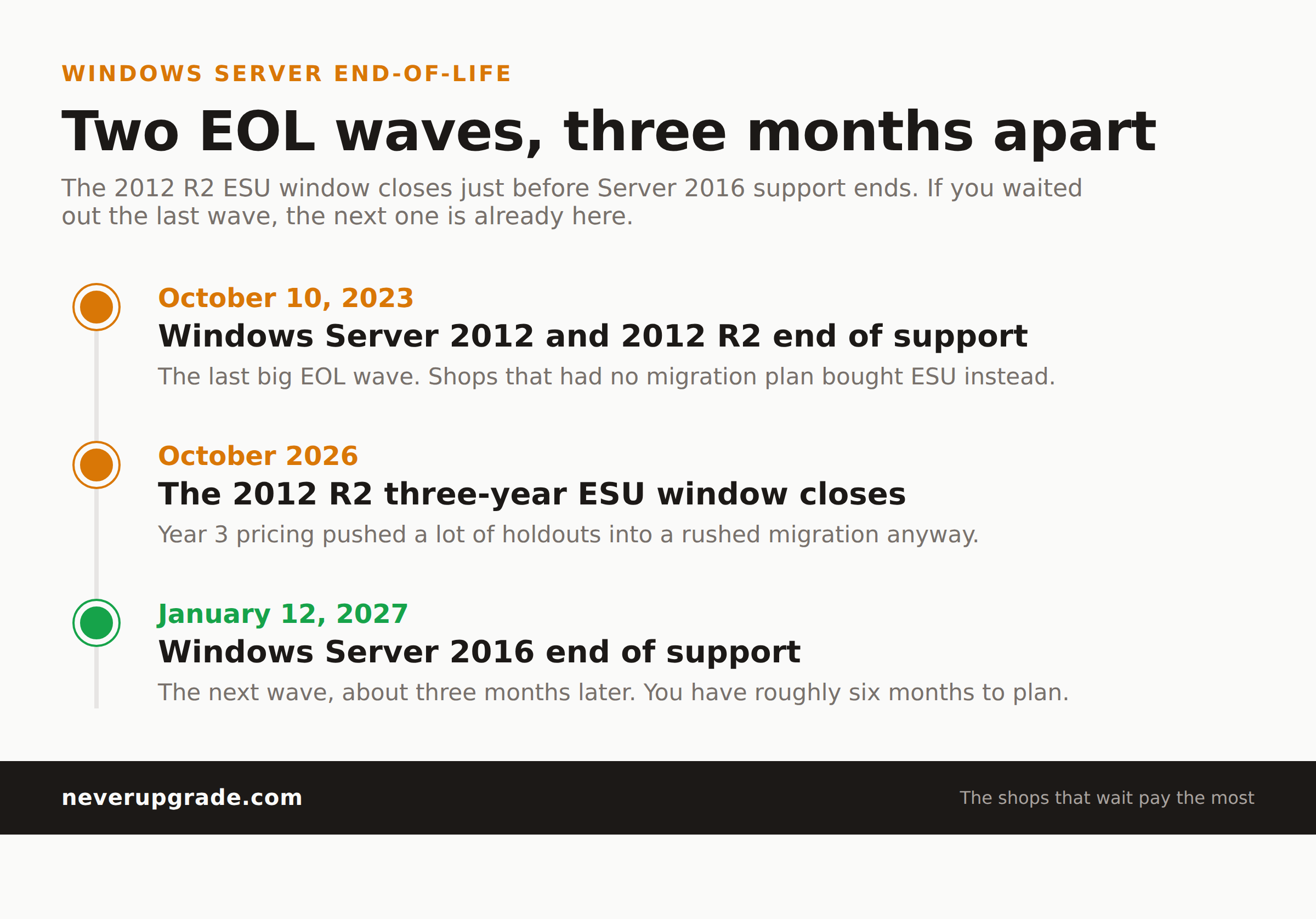
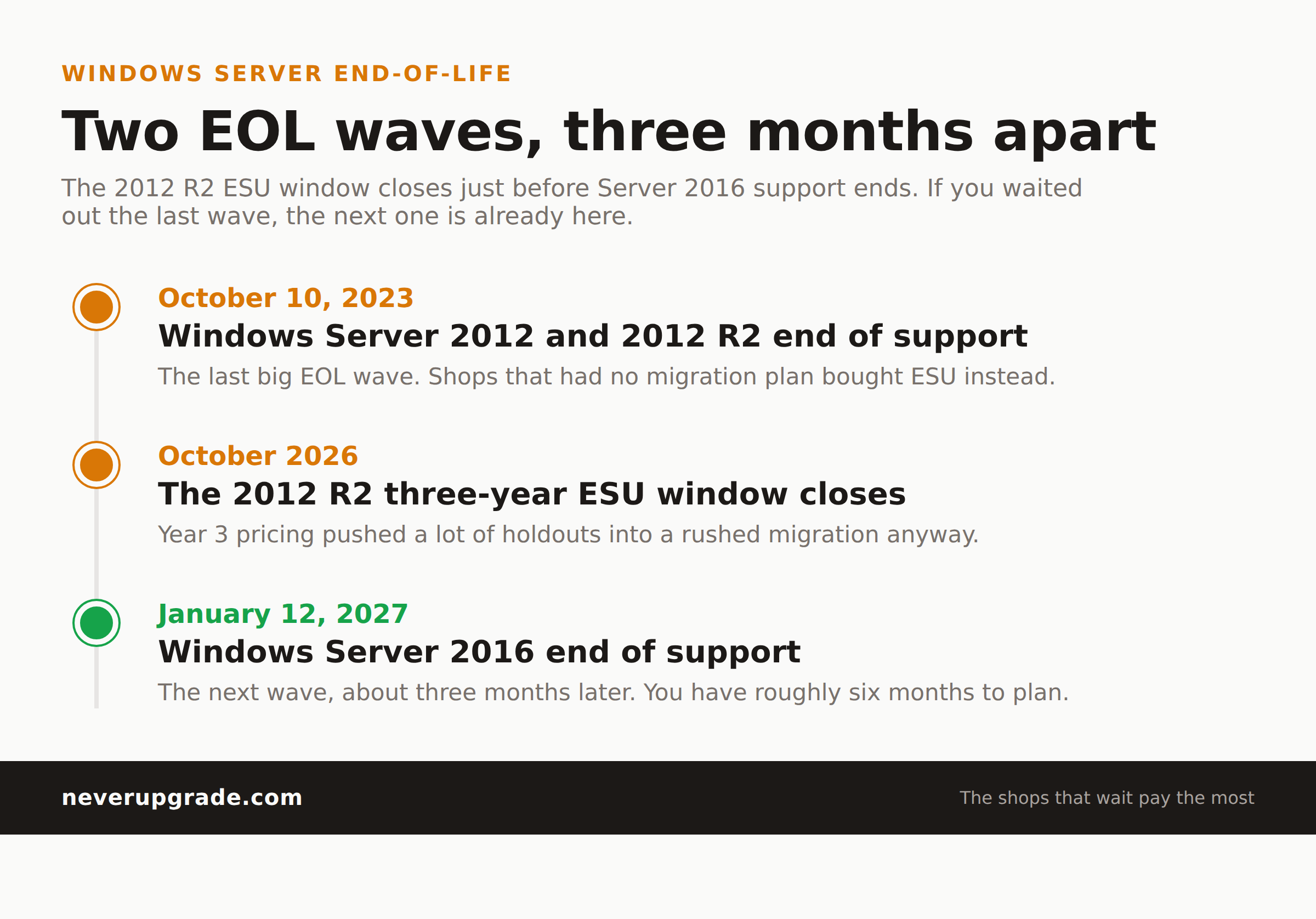
We just watched this movie. Windows Server 2012 and Windows Server 2012 R2 hit end of support on October 10, 2023. Their three-year ESU window closes in October 2026, about three months before 2016 falls off. So the 2012 R2 wave is cresting at the exact moment the 2016 wave begins.
What the 2012 R2 cycle taught us:
- The shops that waited paid the most. Year 3 ESU pricing pushed a lot of them into a rushed, expensive migration anyway, which is what a bridge is supposed to prevent.
- App vendors were the bottleneck, not the OS. The delays were almost always “our ERP isn’t certified on the new server yet,” and that certification took months.
- “We will just buy ESU” quietly became “we bought ESU three years in a row and still had to migrate.” That is the most expensive path there is.
If your 2012 R2 boxes are still on ESU right now, treat that as the dress rehearsal. The 2016 fleet is next, and you already know how the story ends.
Your start-now checklist
Back up first. Before any migration testing, take a full, verified backup of every Server 2016 machine and confirm you can actually restore it. Then work the list:
- Inventory. List every Windows Server 2016 instance, its role, its core count, and the apps it hosts. You cannot budget ESU without the core count.
- Classify each box. Can it be decommissioned, migrated before January 2027, or genuinely must it stay? Be honest; most “must stay” boxes are “nobody wants to test the app.”
- Call your app vendors now. Get written confirmation of support on Windows Server 2022 or 2025. This is the six-week item; start it today.
- Price the two paths. ESU cost (cores times escalating rate times the years you need) versus migration cost. Include Azure as a third column, since it zeroes out ESU.
- Check activation. Confirm each box can transition off KMS if ESU is the plan.
- Pick a date per workload, not a date for the fleet. Stagger them so no single change window carries the whole risk.
When upgrading actually wins
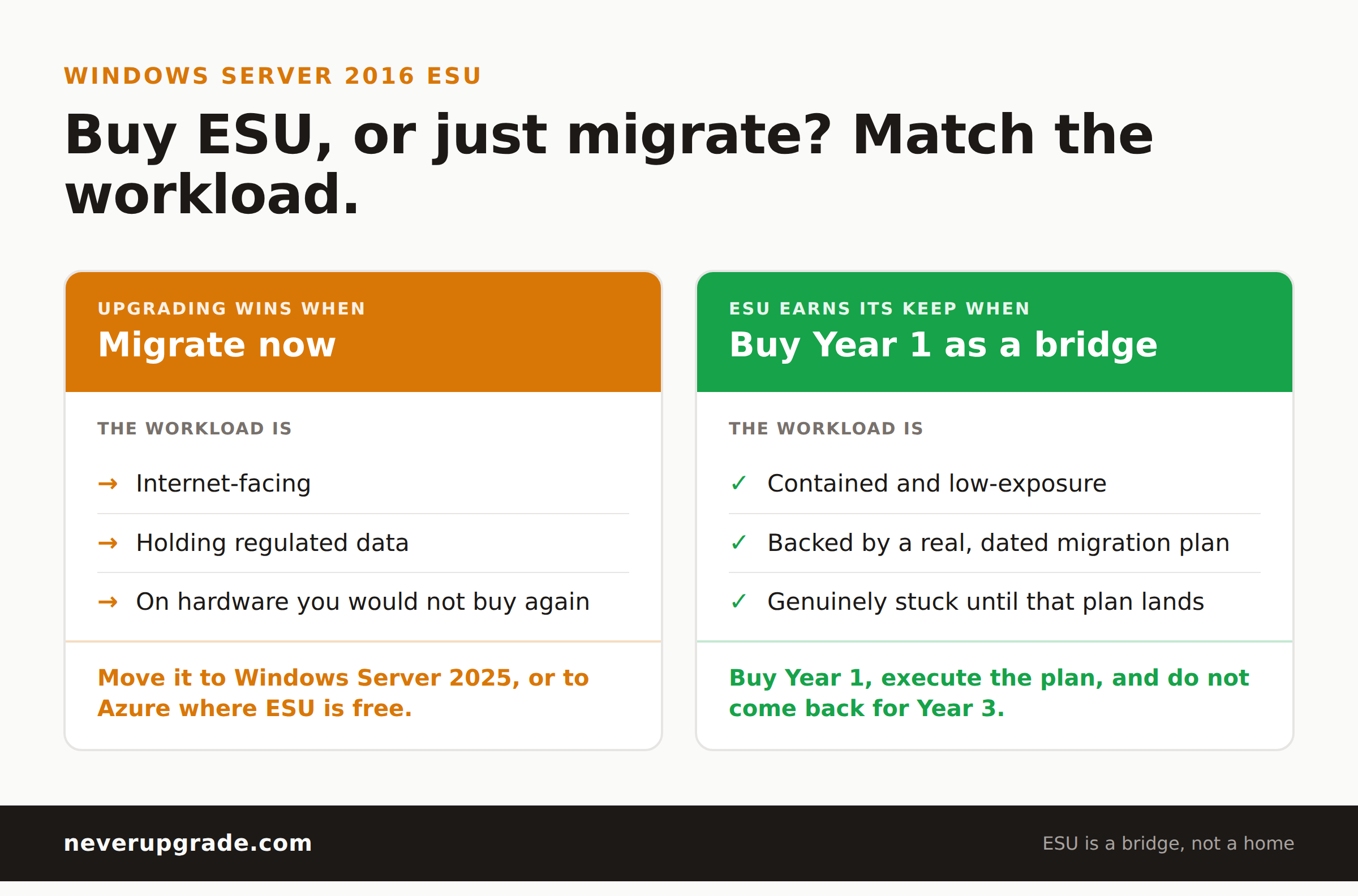
Here is the one case where we tell you to stop stalling and upgrade. If the workload is internet-facing, holds regulated data, or is already on hardware you would not buy again, ESU is a bad bet. You are paying an escalating fee to defer a project that only gets more urgent, and you still carry the breach risk between patch Tuesdays. Migrate it to Windows Server 2025, or move it to Azure and let the platform carry ESU for free.
ESU earns its keep in exactly one scenario: a contained, low-exposure workload with a real, dated migration plan that ESU is bridging. Buy Year 1, execute the plan, and do not come back for Year 3.
The upgrade treadmill is mostly a racket. Being unpatched on an internet-exposed server in 2027 is not a stand you want to take.
FAQ
When does Windows Server 2016 end of support happen?
January 12, 2027. Monthly security updates stop on that date unless you enroll the server in extended security updates or move the workload to Azure.
How long can I stay on Windows Server 2016 with ESU?
Up to three years, through roughly early 2030. You buy each year separately, and each year costs more than the last, so it is designed as a runway, not a permanent plan.
Is ESU for Windows Server 2016 free anywhere?
Yes. If the workload runs on Azure Virtual Machines, Azure Stack, or Azure Dedicated Host, ESU coverage is included at no additional cost. On-premises servers pay per core, typically delivered through Azure Arc.
Stay ahead of the next EOL wave
Server 2016 is not the last deadline on your calendar, just the loudest one right now. We track every end-of-life date, the real ESU costs, and the honest “upgrade or hold” call for each one.