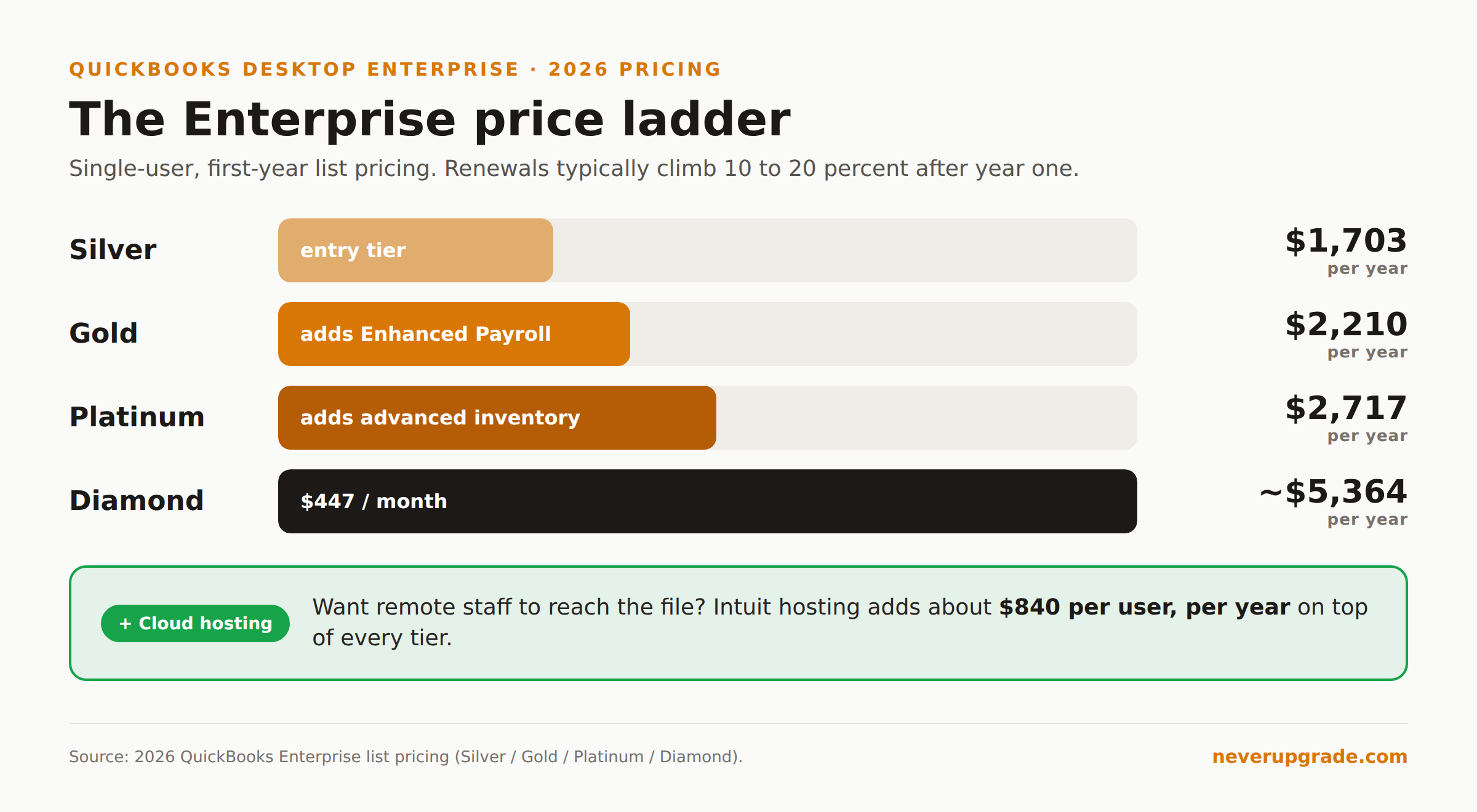
QuickBooks Desktop Enterprise is the only version of Desktop Intuit will still sell you a new license for in 2026. Pro Plus and Premier Plus closed to new subscribers on July 31, 2024, and there was never a 2024-successor “2025” release. If you want the local, install-it-on-your-own-server accounting software Intuit spent 20 years selling, Enterprise is the front door, and it is not a cheap one. Silver starts at $1,703 a year for a single user.
That price tag is the whole story. Enterprise survived the purge not because it is the best product, but because it is the one Intuit can charge the most for. Here is what you actually get, who it makes sense for, and how to keep the renewal from eating you alive.
Why Enterprise survived the Desktop purge
Intuit has been steering everyone toward QuickBooks Online for years. The 2022 move to subscription-only pricing was step one. Retiring new Pro and Premier sales in mid-2024 was step two. Enterprise is what is left because it serves the customers hardest to move online: businesses with large item lists, multi-warehouse inventory, and workflows that QuickBooks Online still cannot match.
Enterprise scales to 40 simultaneous users and handles inventory across multiple locations. Those are real capabilities Online does not replicate. If you outgrew Pro’s list limits years ago, Enterprise is not a luxury tier. It is the floor.
The catch: you are now a captive audience. When the mid-market product is the only remaining desktop option, Intuit has no reason to compete on price. And they don’t.
What it costs versus what Pro used to
Old Pro Plus ran roughly $549 a year. Here is where Enterprise lands in 2026 (first-year, single-user pricing):
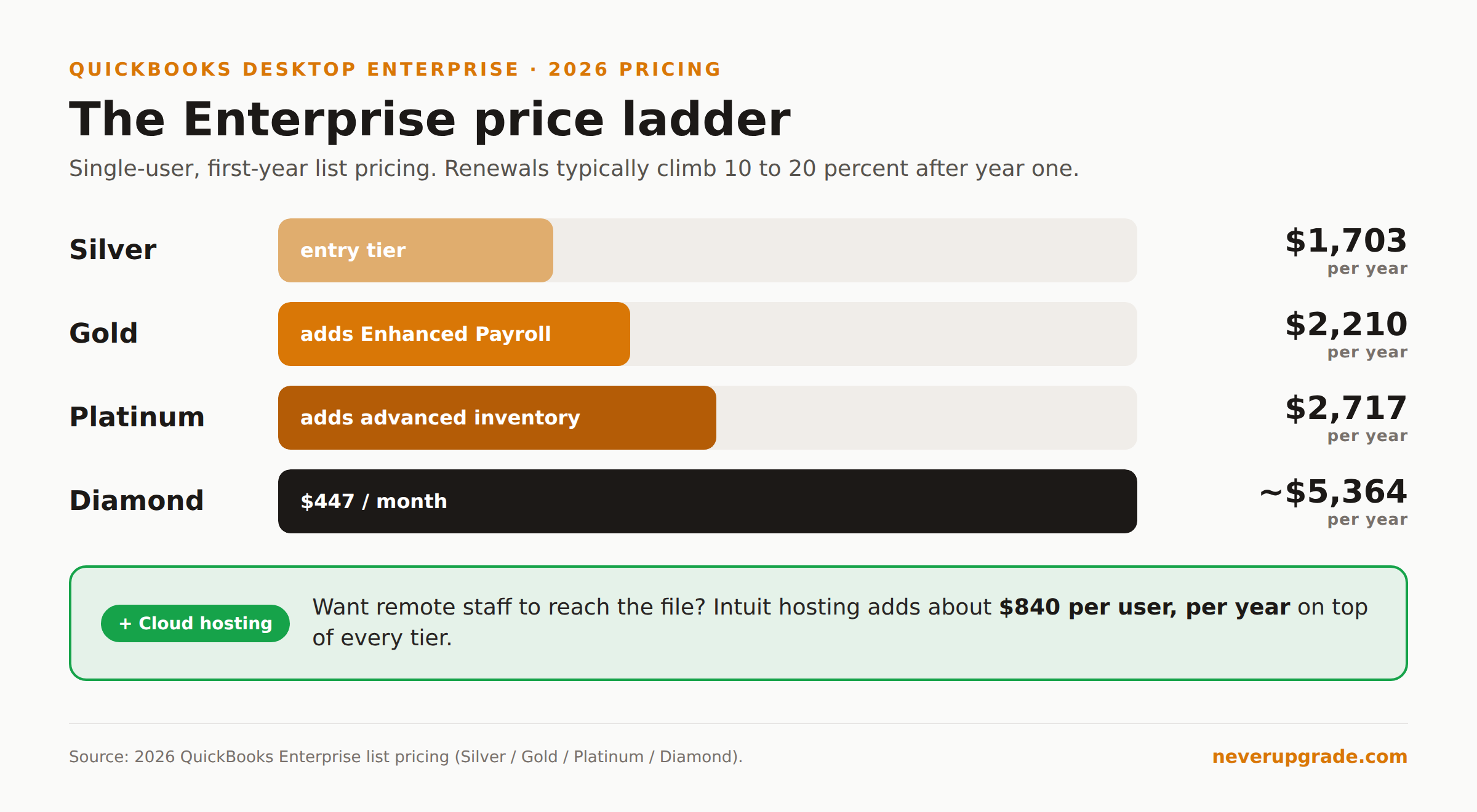
- Silver: $1,703 per year
- Gold: $2,210 per year (adds Enhanced Payroll)
- Platinum: $2,717 per year (adds advanced inventory and pricing)
- Diamond: around $447 per month, so north of $5,300 a year
Add users and the number climbs fast. Want it hosted in the cloud so remote staff can reach it? Intuit’s hosting runs about $74.99 per user per month, roughly $840 a year on top of the license. A modest three-user Platinum setup with hosting clears $10,000 annually without much effort.
None of this is one-time. Intuit stopped selling perpetual desktop licenses entirely. Miss a renewal and the software drops into a read-only view mode: you can open the file and look, but you cannot write a check or run payroll until you pay again.
Who genuinely needs Enterprise, and who is paying to avoid a migration
Be honest about which group you are in.
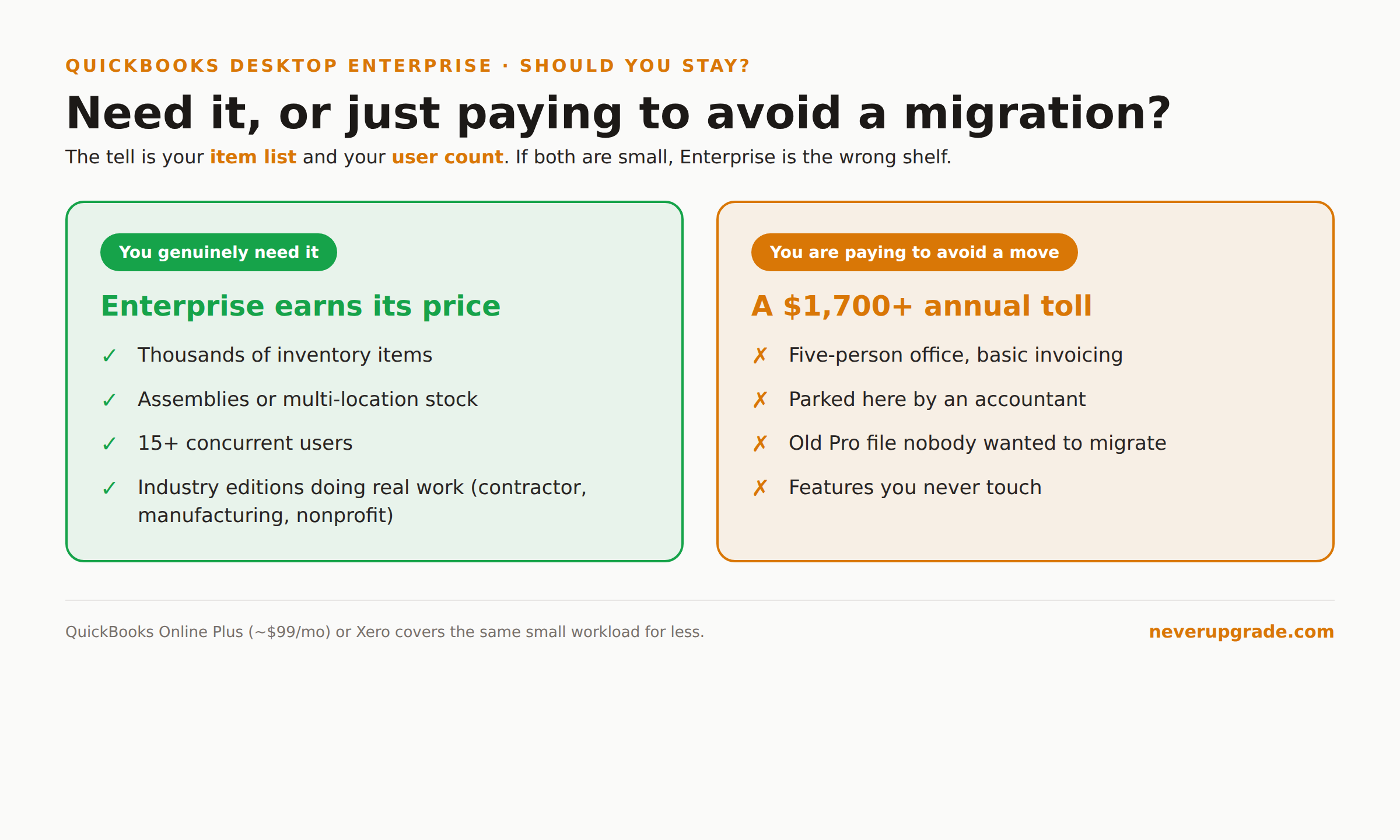
You genuinely need it if: you carry more than a few thousand inventory items, run assemblies or multi-location stock, need 15-plus concurrent users, or have industry-specific editions (contractor, manufacturing, nonprofit) doing real work. For these shops, QuickBooks Online is a downgrade, and the Enterprise price is just the cost of the tool.
You are paying to avoid a migration if: you have a five-person office running basic invoicing and payroll on Enterprise because that is where an accountant parked you, or because your old Pro file got upgraded and nobody wanted to move data. That is a $1,700-plus annual toll for features you never touch. QuickBooks Online Plus at roughly $99 a month, or a competitor like Xero, would cover the same workload for less.
The tell is your item list and user count. If both are small, Enterprise is the wrong shelf.
The subscription reality even Enterprise carries
People switch to Enterprise thinking they are buying their way back to “real” owned software. You are not. Enterprise is as subscription-locked as everything else Intuit sells now. The renewal is annual, the price escalates after year one, and the view-only kill switch applies the same way it does to a lapsed Pro Plus file.
We cover the mechanics of that lockout in detail in running QuickBooks Desktop without a subscription, and it applies to Enterprise too. The short version: your historical data stays readable, but the working software stops the day you stop paying.
So the “at least it’s desktop” comfort is mostly psychological. You control where the file lives. You do not control whether the program keeps running.
Negotiating the renewal (this part actually works)
First-year pricing is a hook. Year-two renewals routinely jump 10 to 20 percent, and Intuit counts on you not noticing until the card gets charged. Two moves that reliably save money:
- Buy through a Solution Provider, not intuit.com. Authorized resellers discount both the initial license and renewals, sometimes 20 percent or more off list. The product is identical.
- Call before you auto-renew and threaten to leave. Retention offers are real. Mention you are pricing QuickBooks Online or a competitor and ask what they can do. A discount that keeps you on the platform is cheaper for Intuit than losing you.
Set a calendar reminder for 30 days before renewal. The one thing that guarantees you pay full freight is letting it renew silently.
Before you commit either way, back up your company file to a location the software cannot reach: an external drive or a separate cloud folder. If a renewal dispute ever locks you into view-only mode mid-year, a clean backup is your leverage.
Frequently asked questions
Is QuickBooks Desktop Enterprise still available in 2026?
Yes. Enterprise is the only QuickBooks Desktop edition Intuit still sells to new customers. Pro Plus and Premier Plus closed to new subscribers in July 2024, and there is no standalone 2025 Desktop release. If you need new desktop accounting software from Intuit, Enterprise is the only path.
How much does QuickBooks Desktop Enterprise cost per year?
Single-user first-year pricing in 2026 runs $1,703 for Silver, $2,210 for Gold, and $2,717 for Platinum, with Diamond billed at roughly $447 a month. Cloud hosting adds about $840 per user per year. Every tier is an annual subscription, and renewals typically rise after the first year.
Do I still get QuickBooks Desktop support with Enterprise?
An active Enterprise subscription includes QuickBooks Desktop support and product updates for as long as you pay. Older, discontinued Desktop versions lose live support and security patches on Intuit’s usual sunset schedule, which is a separate issue we break down in QuickBooks Desktop support in 2026.
The honest bottom line
Enterprise is the last desktop option standing, and for inventory-heavy, high-user-count businesses it earns its price. For everyone else, it is a premium you are paying to avoid a migration you will probably make eventually anyway. Figure out which one you are before the renewal hits, negotiate hard if you stay, and keep a backup the software cannot lock. If you are still deciding whether to stay on Desktop at all, start with our guide to whether you can still buy QuickBooks Desktop 2024, then price your exit with clear eyes.