SharePoint Server 2013 hit end of life on April 12, 2023, when Microsoft cut off extended support. That date is old news to anyone who has already searched for it. What most admins have not clocked is a second, separate deadline: SharePoint 2013 workflows, the ones built in SharePoint Designer and still humming along inside plenty of SharePoint Online tenants, are being switched off entirely on April 2, 2026. Two different products. Two different clocks. One of them is about to break your approval chains with zero warning.
The Server Deadline You Already Missed, and the Workflow Deadline You Have Not
Let’s separate the two things that keep getting mashed together in search results.
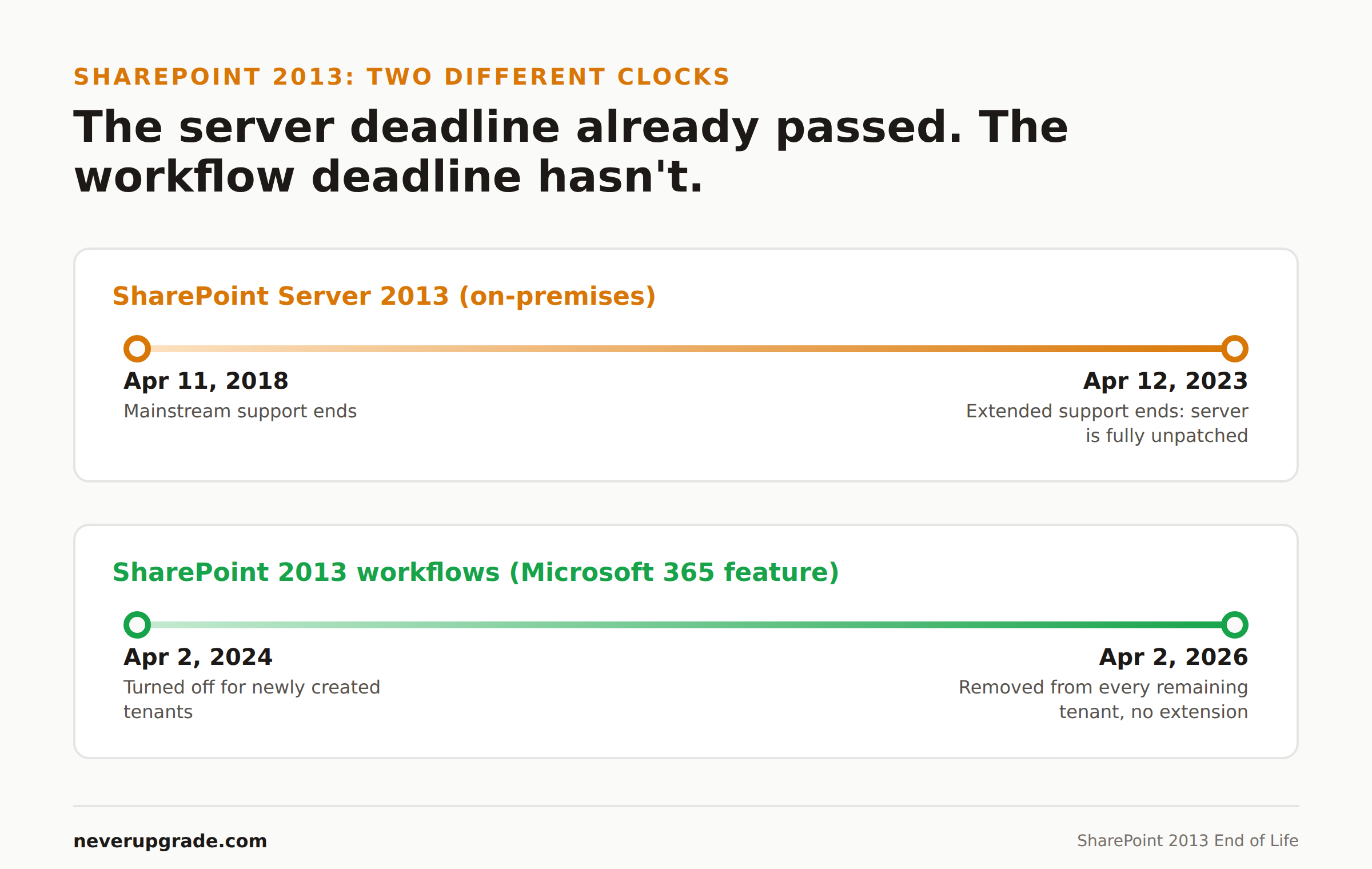
SharePoint Server 2013 (the on-premises product) followed Microsoft’s Fixed Lifecycle Policy:
- Mainstream support ended April 11, 2018
- Extended support ended April 12, 2023
If you are still running an on-prem SharePoint 2013 farm today, it has been out of security patches for over three years. That is a server sitting exposed on your network, not a workflow feature quietly aging inside Microsoft 365. Different risk, different urgency, and we will get to it.
SharePoint 2013 workflows (the Microsoft 365 feature) are a completely different timeline, and this is the one almost nobody checks:
- April 2, 2024: SharePoint 2013 workflows were turned off for any newly created tenant
- April 2, 2026: SharePoint 2013 workflow is removed from existing tenants, including yours if you have not migrated
Here is the part that trips people up. You can be running fully patched, fully supported SharePoint Online, with SharePoint Server nowhere in your environment, and still have this deadline coming for you. The “2013” in the feature name refers to the workflow engine’s vintage, not your SharePoint version. Plenty of tenants built these workflows years ago on modern SharePoint Online and never touched them again. They still count.
Why This One Breaks Quietly
A server EOL date is loud. You know the day support ends because you have been dreading it on a calendar for a year, and if something goes wrong there is a server to reboot, a log to check, an error on a screen.
The workflow retirement is the opposite kind of failure. On April 2, 2026, Microsoft flips a switch on the back end. Your SharePoint site does not go down. Your document libraries still load. Nothing in the admin center screams at you. What happens is that every workflow built on the 2013 engine (SharePoint Designer workflows, and any out-of-the-box 2013 workflows still assigned to lists and libraries) simply stops firing.
That means:
- Approval chains that route a document from draft to review to publish stop routing. The document just sits there.
- Automated notifications tied to list changes stop sending. Nobody gets told anything is late.
- Multi-stage HR, procurement, or contract processes stall at whatever step they were on when the switch flipped, with no error visible to the person waiting on it.
The failure mode is silence, not an outage. You find out weeks later when someone asks why an approval from March never went anywhere. We have seen this exact scenario play out with other quietly-retired automation before: the process looks fine on the surface right up until someone downstream notices nothing happened.
What Still Works and What Quietly Stopped
Before you start: back up your workflow definitions and document the associated lists/libraries before touching anything. You cannot easily reconstruct a workflow from memory once it is gone, and after retirement, existing workflows can only be viewed as raw XML, not edited or re-triggered.
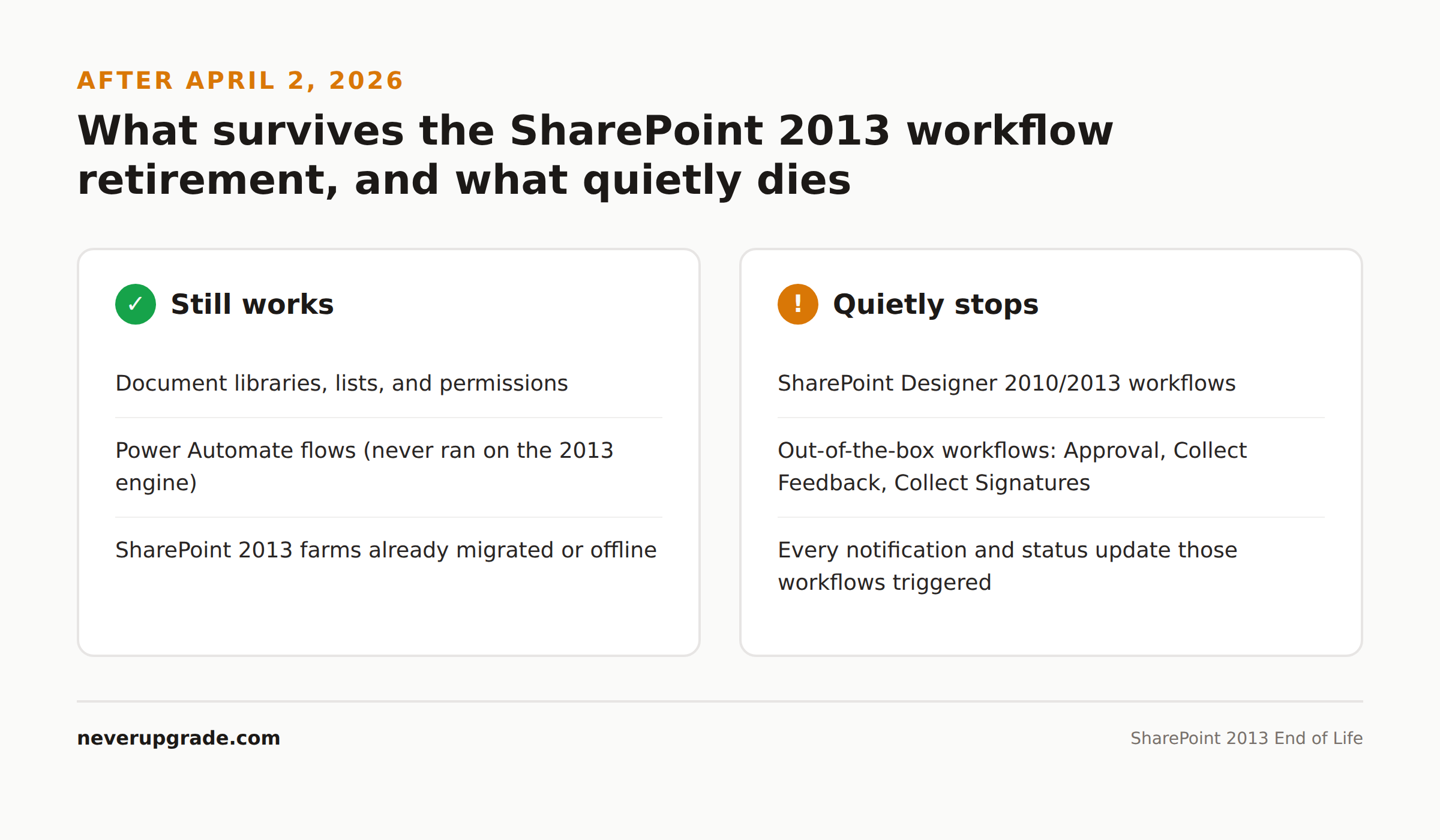
Here is the honest breakdown of what survives April 2, 2026 and what does not:
Still works:
– SharePoint document libraries, lists, and permissions (unaffected)
– Power Automate flows (this was never SharePoint 2013 workflow to begin with)
– SharePoint Server 2013 farms that were already offline or migrated (nothing left to retire)
Quietly stops:
– Any workflow authored in SharePoint Designer 2010 or 2013 targeting SharePoint 2013 workflow engine
– Out-of-the-box SharePoint 2013 workflows (Approval, Collect Feedback, Collect Signatures) still assigned to content
– Anything triggered by those workflows: notifications, status field updates, routing
If you are not sure which category you are in, check a list or library’s workflow settings in the classic experience. If it references a “SharePoint 2013 Workflow” platform type, it is on the clock.
Migration Options, Ranked by How Much Rework You Are Signing Up For
1. Power Automate, using the SharePoint Migration Tool (SPMT). This is Microsoft’s own recommended path and the least painful for most tenants. SPMT can migrate a subset of common SharePoint Designer 2010 and 2013 workflow actions directly into Power Automate flows. The process is three steps: configure your endpoints and confirm Power Automate is enabled for the tenant, run the migration and point SPMT at your workflow-bearing site, then sign into Power Automate to review and activate what it produced. Not every action converts cleanly. Unsupported actions either get flagged as migration-blocking errors or get converted to a placeholder “Compose” action you will need to rebuild by hand. Budget time for that second group; in our experience it is rarely zero.
2. Rebuild manually in Power Automate. For workflows with a handful of steps, or ones nobody fully trusts after five years of undocumented edits, it is often faster to just rebuild from scratch than to debug an automated migration. This is also your chance to kill workflows nobody actually needs anymore, which is most of them.
3. SharePoint Subscription Edition, if you are still on-prem. If your organization has a hard requirement to stay off the cloud, SharePoint Subscription Edition is the current on-premises release and the only supported landing spot for a 2013 farm. It does not carry your 2013 workflows forward automatically either, so you are still doing the Power Automate migration, just against a different SharePoint version underneath it.
4. Move to SharePoint Online outright. If you are on-prem specifically because nobody ever revisited the decision, this is the moment to revisit it. You get the workflow migration either way; you might as well stop paying for server maintenance on top of it.
Whichever path you pick, the failure case is the same: an admin who assumes “SharePoint 2013” only means the old server, ignores the notice about workflow retirement because it does not apply to them on paper, and finds out in April 2026 that it very much did.
FAQ
Is SharePoint Server 2013 still supported in 2026?
No. Extended support ended April 12, 2023. Any on-premises SharePoint 2013 farm still in production has been running without security patches for years and should be treated as a standing risk, not a maintenance backlog item.
Does the 2026 SharePoint workflow retirement affect me if I only use SharePoint Online?
Yes, if any of your lists or libraries have workflows built with SharePoint Designer against the 2013 workflow engine, regardless of what SharePoint version your tenant is otherwise running on. The retirement targets the workflow engine, not your platform version.
What happens to my existing SharePoint 2013 workflows after April 2, 2026?
They stop executing. Microsoft has stated there will be no extension beyond that date. The workflow definitions remain viewable only as raw XML; they cannot be edited, re-triggered, or restored through the normal SharePoint interface after retirement.
If your on-prem stack still has SharePoint hanging around, our SharePoint Server 2019 end of life breakdown covers the next server in line and whether it buys you real time. And if Exchange is part of the same aging Microsoft stack, we mapped out that timeline separately in our Exchange Server 2019 and 2016 end of life guide.