Exchange Server 2013 hit end of life on April 11, 2023, and unlike Windows 10 or Windows Server 2012, there was never an Extended Security Updates program to buy more time. If you’re still running it, every vulnerability disclosed against Exchange since that date, and there have been plenty, has gone permanently unpatched on your server. This is the one piece of unsupported software on this site where “isolate and wait” is close to a non-option, because a mail server has to sit on the internet to do its job.
Below: exactly how 2013’s timeline differs from the more recent Exchange 2016/2019 end of life, why an unpatched mail server is a worse bet than almost anything else you run, the real reasons shops are still on it, and the migration paths that actually exist in late 2026.
How the 2013 Deadline Differs From 2016 and 2019
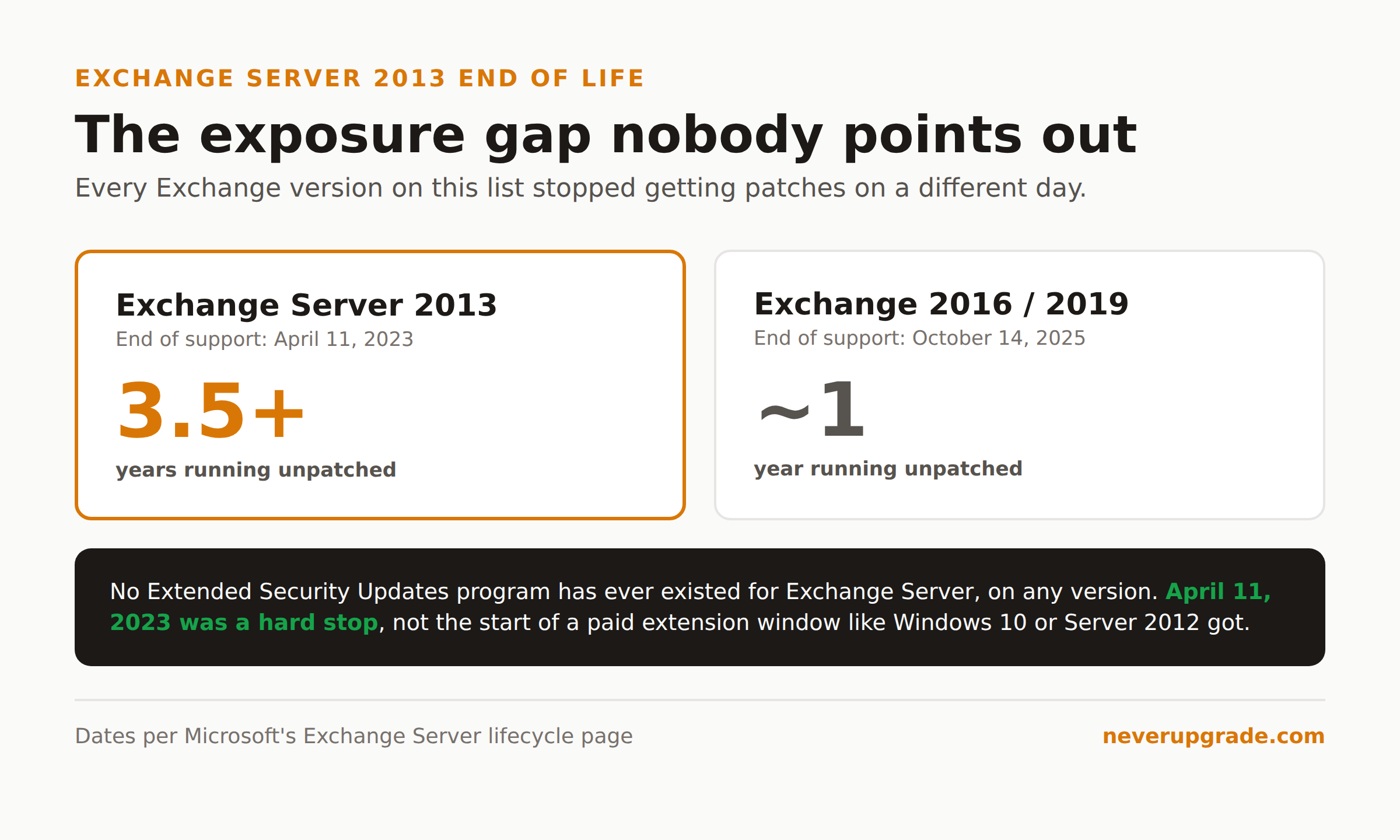
Microsoft’s own lifecycle page lists Exchange Server 2013’s extended end date as April 12, 2023, three years and change before we’re writing this. Compare that to Exchange 2016 and 2019, which both ran until October 14, 2025. We covered that more recent deadline in Exchange 2019 and 2016 end of life, and the gap matters for one blunt reason: a 2016 or 2019 box has been exposed for roughly a year. A 2013 box has been exposed for over three.
That gap compounds. Exchange has had a steady stream of serious, internet-facing bugs since 2013 went dark, ProxyLogon and ProxyShell among them, plus newer ones. Most recent patches target 2016, 2019, and Subscription Edition (SE) specifically, because those are the versions Microsoft still tests against. Exchange 2013 doesn’t even get mentioned in the advisory anymore, not because it’s immune, but because nobody at Microsoft is checking whether the same flaw exists in its codebase. Given how much code Exchange versions share, assume it does.
There’s also no ESU lifeline here. Windows 10 and Windows Server 2012 both got a paid Extended Security Updates program after their support end dates. Exchange never has. When 2013 went end of life, that was the end of the line, full stop, no purchasable extension.
Why an Unpatched Mail Server Is a Bigger Risk Than It Sounds
We usually tell readers unsupported software is fine to keep running if you can isolate it. Exchange breaks that advice for three specific reasons.
- It has to be reachable. Outlook Web Access, ActiveSync, Autodiscover, and EWS all need to accept connections from outside your network. You can’t firewall a mail server into a corner the way you can an old NAS or an accounting workstation that only needs LAN access.
- It’s a domain foothold, not just a mailbox. Exchange authenticates against Active Directory and traditionally runs with high privilege on that AD. A compromised Exchange server is rarely “just email”; it’s frequently the pivot point into the rest of your network.
- Working exploit code shows up fast once a flaw is public. A recent example: CVE-2026-62911, an authentication bypass affecting Exchange 2016, 2019, and SE, had public exploit code circulating within weeks, and tens of thousands of servers worldwide were still unpatched a month after the fix shipped. That’s with a vendor patch available. On a 2013 box, there is no patch to apply, ever, for that bug or the next one.
If a 2013 mail server absolutely cannot come down this week, the honest damage-reduction steps are: pull every web-facing endpoint (OWA, ECP, EWS) off the open internet and route access through a VPN or a pre-authenticating reverse proxy, disable legacy authentication protocols entirely, and watch the logs as though you already have an intruder. That buys weeks, not years, and it’s a bridge to a migration, not a destination.
Why Shops Are Still Running It in 2026
Nobody chooses to run a 13-year-old mail server on purpose. The shops still on 2013 usually fall into one of these buckets:
- A stalled hybrid. Someone started a Microsoft 365 migration years ago, moved most mailboxes, and left the on-premises Exchange 2013 server running because it’s still doing directory synchronization or recipient management for accounts tied to on-prem Active Directory. Pulling the last server without resolving that dependency breaks the ability to manage mail attributes for synced users, so it just… stays.
- Compliance or legal hold requirements. Some regulated industries have journaling, retention, or e-discovery configurations built around the on-premises deployment, and nobody has budgeted the time to re-architect them for a cloud equivalent.
- A migration that quietly died. Budget got reallocated, the admin who understood the Exchange org left, or a line-of-business app (fax-to-email, scan-to-email, a legacy CRM connector) has a hardcoded dependency on the old server’s IP or SMTP relay, and untangling it keeps getting pushed to next quarter.
None of these are good reasons to stay. They’re the real reasons, which is different.
Migration Paths Off Exchange 2013
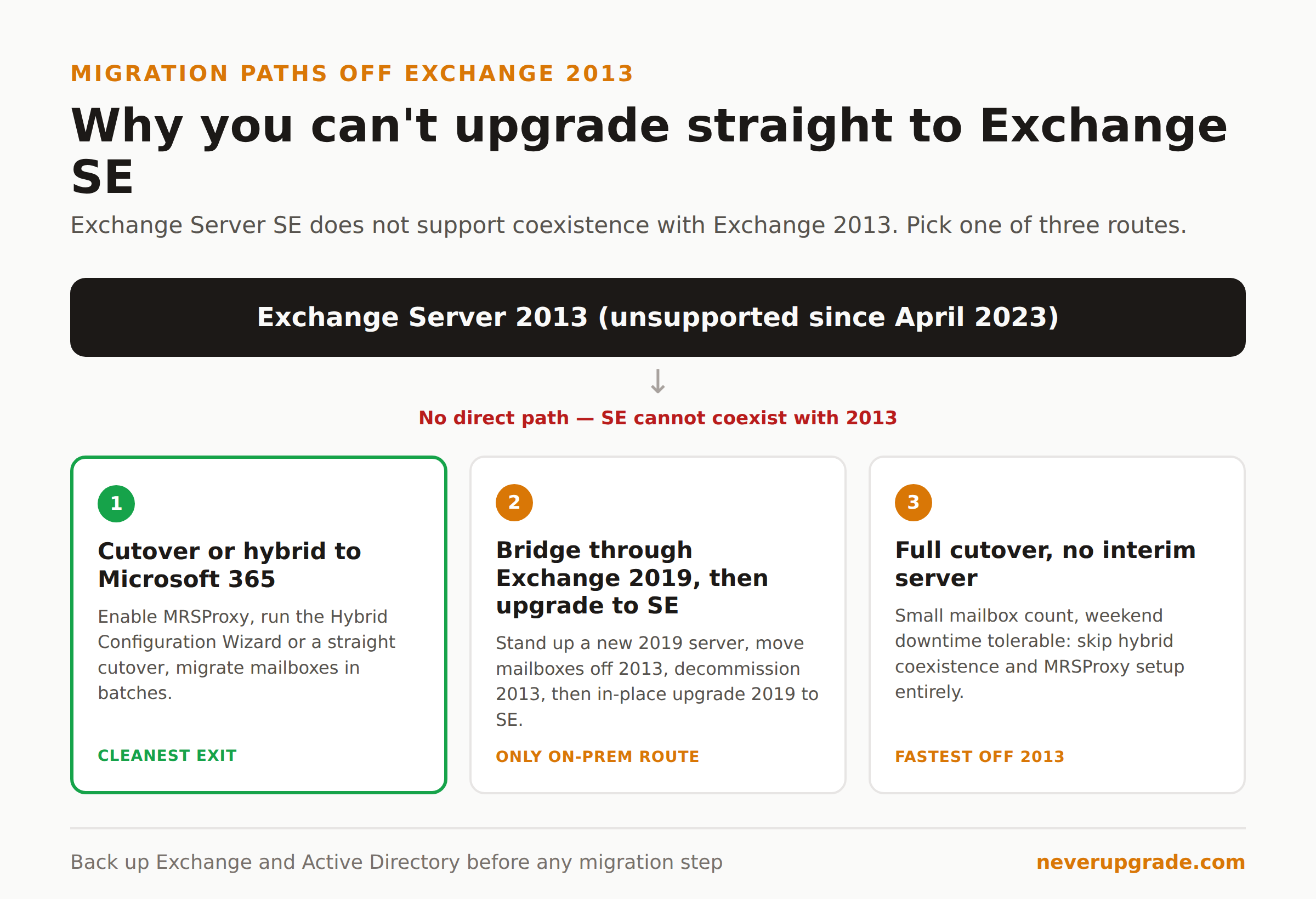
Here’s the part most 2013-specific guides get wrong or skip entirely: you cannot go straight from Exchange 2013 to Exchange Server SE, the current on-premises release. SE does not support coexistence with 2013 at all. If you want to end up on-premises, you have to pass through Exchange 2019 first (even though 2019 itself is past its own end of support), then do an in-place cumulative update from 2019 to SE. That’s two migrations wearing a trench coat as one.
Given that, most 2013 shops have three realistic options:
Option 1: Cutover or hybrid migration straight to Microsoft 365
For a straightforward organization with fewer than a couple thousand mailboxes and no hard on-premises identity requirement, this is usually the cleanest exit. Before you start, back up your Exchange 2013 server and Active Directory, and confirm the backup actually restores in an isolated environment, not just that the job reported success.
- Verify your domain in Microsoft 365 and confirm licensing for every mailbox you’re moving.
- On Exchange 2013, enable the MRSProxy service on your Client Access server (Exchange Admin Center, under Servers, then Virtual Directories, edit the EWS directory, check MRS Proxy enabled). This is specific to on-premises coexistence and easy to miss on a 2013 box that’s never done a hybrid migration before.
- Run the Hybrid Configuration Wizard if you want mailboxes to move gradually with mail flow intact, or skip straight to a cutover migration if you’re moving everyone in one batch and can tolerate a short cutover window.
- Sync users and passwords with Microsoft Entra Connect (formerly Azure AD Connect) if you need on-prem AD to remain the source of authority.
- Migrate mailboxes in EAC or the Microsoft 365 admin center, in batches, watching OWA and mobile access after each wave.
- Decommission Exchange 2013 only after mail flow is confirmed stable and you’ve resolved whether you still need on-prem Exchange for recipient management.
Option 2: Bridge through Exchange 2019, then upgrade in place to SE
If regulatory or data residency requirements keep you on-premises, stand up a new Exchange 2019 CU15 server, migrate mailboxes to it from 2013, decommission every 2013 server (SE and 2019 cannot coexist with 2013 in the same org either, so this is a hard requirement, not a nicety), and then do the in-place cumulative-update upgrade from 2019 to SE. It’s more infrastructure than a shop wants to stand up for a machine it’s about to retire, but it’s the only supported on-premises path.
Option 3: Full cutover with no interim server
If mailbox count is small and downtime for a weekend is tolerable, a straight cutover migration to Microsoft 365, no hybrid coexistence phase at all, skips both the MRSProxy dance and the two-hop on-premises path entirely. It’s the least flexible option during the move itself, but it’s also the fastest way to stop operating an unsupported mail server, which for a box that’s been unpatched since 2023, is worth weighing seriously.
Whichever path you pick, the same rule from every migration guide on this site applies: back up before you touch the Exchange 2013 server or its Active Directory, and verify the restore works before you start moving mailboxes.
FAQ
When did Exchange Server 2013 reach end of life?
April 11, 2023 (Microsoft’s lifecycle page lists the cutoff as April 12, 2023, 6:59 AM Pacific). There was no Extended Security Updates program, so that date was a hard stop for security patches, not the start of a paid extension window.
Can I upgrade Exchange 2013 directly to Exchange Server SE?
No. Exchange Server SE does not support coexistence with Exchange 2013. You have to migrate to Exchange 2019 first and decommission all 2013 servers, then do an in-place upgrade from 2019 to SE, or move to Microsoft 365 instead.
Is it safe to keep an Exchange 2013 server running if it’s not internet-facing?
Safer than an internet-facing one, but not safe. Exchange typically holds high privilege in Active Directory, so a compromise through any vector, including internal phishing or a compromised workstation, can still turn into a domain-wide incident. Treat “internal only” as reduced risk, not eliminated risk, and keep it off the migration back burner.
If you’re mapping the whole Exchange retirement, not just picking a next step, start with whichever server in your environment has been unpatched the longest and migrate off that one first. Our breakdown of what’s waiting on the other side once you reach Exchange SE covers the destination in more detail if you’re still deciding between staying on-premises and moving to the cloud.